
Who can do what
| Action | Who | When |
|---|---|---|
| Edit | Whoever requested it, or anyone who can request fixtures for that team | Pending, Allocated or Confirmed, and not yet played |
| Reschedule (new date, kick-off or pitch) | The fixtures secretary | Home games with a pitch |
| Cancel | The team's Manager or Admin Assistant, the Secretary or a System Admin | Until the match is played |
Coaches and age group coordinators can edit but not cancel. Ask your team manager or the secretary.
Editing a fixture
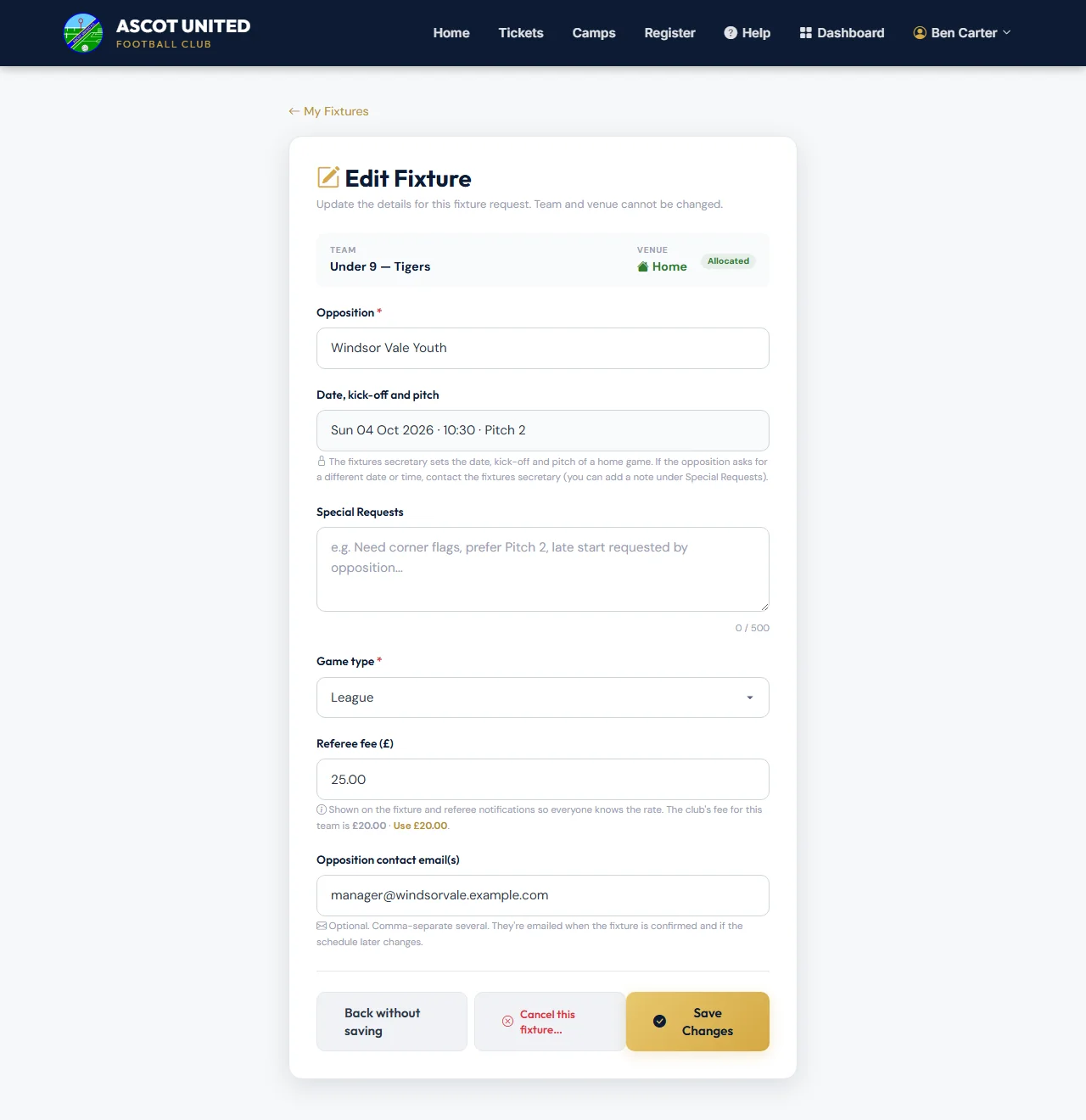
- Open the fixture from the calendar or My Requests, and choose Edit Fixture (or the pencil on My Fixture Requests).
- Change what you need: Opposition, Special Requests, Game type (and cup details), Referee fee (£) or Opposition contact email(s). For a home game still waiting for a pitch you can also change the Fixture Date, and for an away game the Fixture Date and Kick-Off Time.
- Choose Save Changes. You'll see "Fixture updated. Changes: …" listing what changed.
Moving a home game
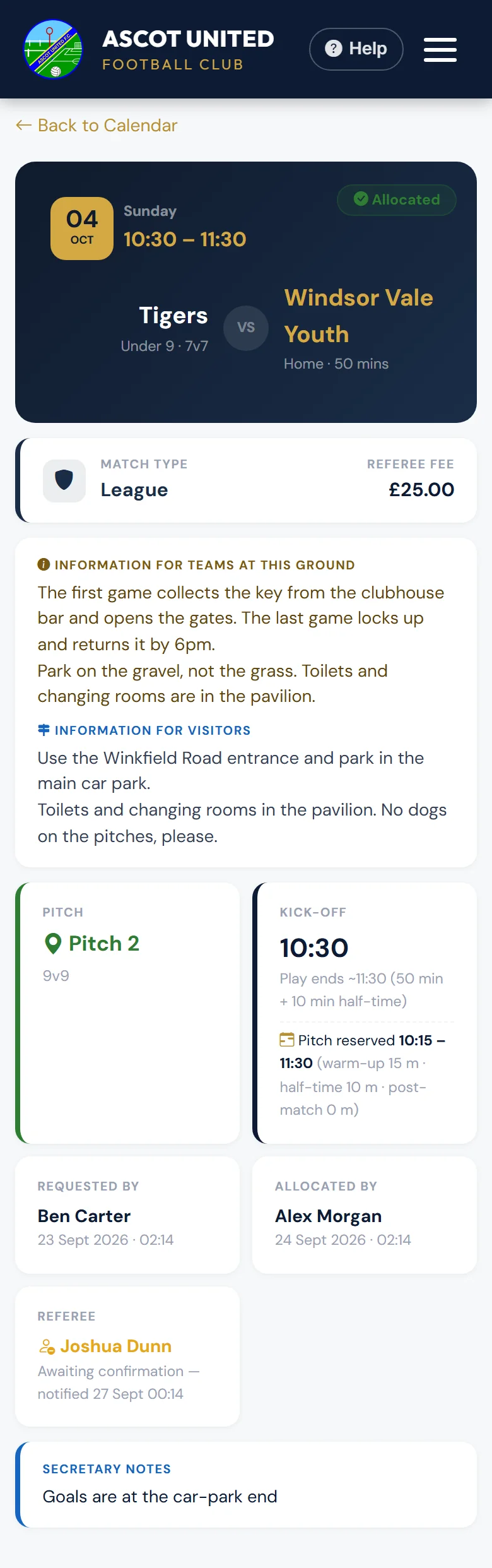
Once a home game has a pitch, the fixtures secretary sets its date, kick-off and pitch. Edit Fixture shows them, but you can't change them. If the opposition asks for a different date or time, contact the fixtures secretary, who will Reschedule the game if a pitch is free. You can add a note under Special Requests too.
You can't change the team, home or away, or the warm-up and finish times either.
Who is told about an edit
- Pending requests: nobody — nothing has been arranged yet.
- Allocated or Confirmed fixtures: the team's managers and coaches get an email titled Fixture Updated listing the changes. If the match is within 14 days, the office and referee team get it too.
- The appointed referee (or their parent or guardian, if under 18) is sent the changes.
- The opposition contacts are emailed only if the date, kick-off or game type changed.
Cancelling a fixture
- Open the fixture and choose Cancel Fixture.
- Check the match details in the pop-up. It lists exactly what will happen straight away.
- Optionally add a Reason — it's kept in the club's records but isn't included in any email.
- Leave Tell the team's families ticked to tell them the game is off, by email or text as each family chose. Add a Message for the families if you like, such as "Training at 10am instead".
- Leave It needs a new date ticked if the game will be replayed: it goes on the Awaiting a new date list until it's rearranged. Untick it if it won't be (for example the opposition have withdrawn).
- Tick "I've double-checked this is the right fixture and it definitely needs cancelling." and choose Yes, cancel this fixture (or Keep fixture to go back).
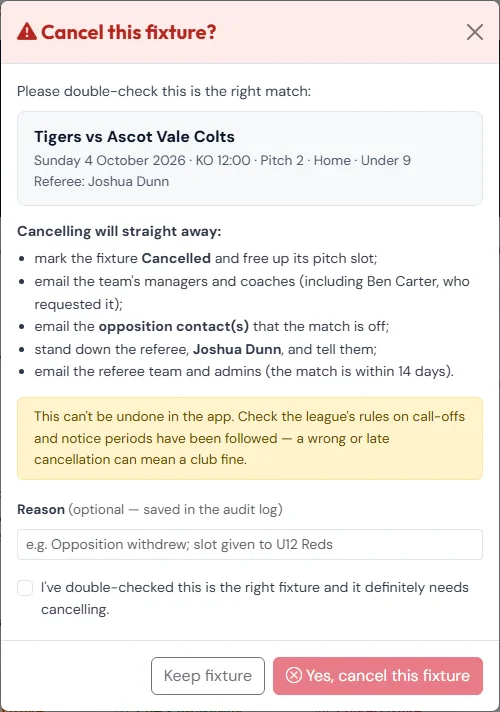
Cancelling frees the pitch, emails the team's managers and coaches (including whoever requested it), tells the opposition contacts, stands the referee down and tells them, and — within 14 days — tells the referee team and office. If the request was still Pending, the opposition isn't emailed, because they were never sent a confirmation.
It also closes the game's availability request, so families stop replying. If you left Tell the team's families ticked, the families who were asked about the game are told it's off (or, if nobody was asked yet, the whole team's families, once the game had been confirmed). See When a game is called off.
A cancelled fixture can't be brought back in the app — you'd need to request it again. Check the league's rules on call-offs first: a wrong or late cancellation can mean a club fine.
If the club closes a ground for the day (for example a waterlogged pitch), every game booked there is cancelled for you. You're emailed with the reason, and texted if the club ticks that. The game goes on the Awaiting a new date list: choose Rearrange when you've agreed a new date. See Rearranging called-off games.
Still stuck?
Fixtures and pitches: Jo Gavin