
Team managers, coaches and team admins can request fixtures for their own teams. For a home game you ask for a pitch, and the fixtures secretary chooses the pitch and kick-off time. An away game is simply logged.
Making a request

- Open Match Day and choose Request Fixture (or My Requests, then Request Fixture).
- Choose your Team. Its format and match length are shown underneath.
- Choose Home or Away.
- Pick the Fixture Date — any day up to the end of the current season — and type the Opposition.
- Choose the Game type: League, Cup, Friendly or Other. For Other, fill in Describe the game.
- Check the Referee fee (£). It's filled in from the club's referee fees for your team's league and age group. Change it only if this game's fee is different, for example a cup tie.
- Optionally add Opposition contact email(s), separated by commas, and any Special Requests for the secretary (for example need corner flags). For an away game, put the venue here.
- Choose Submit Request.
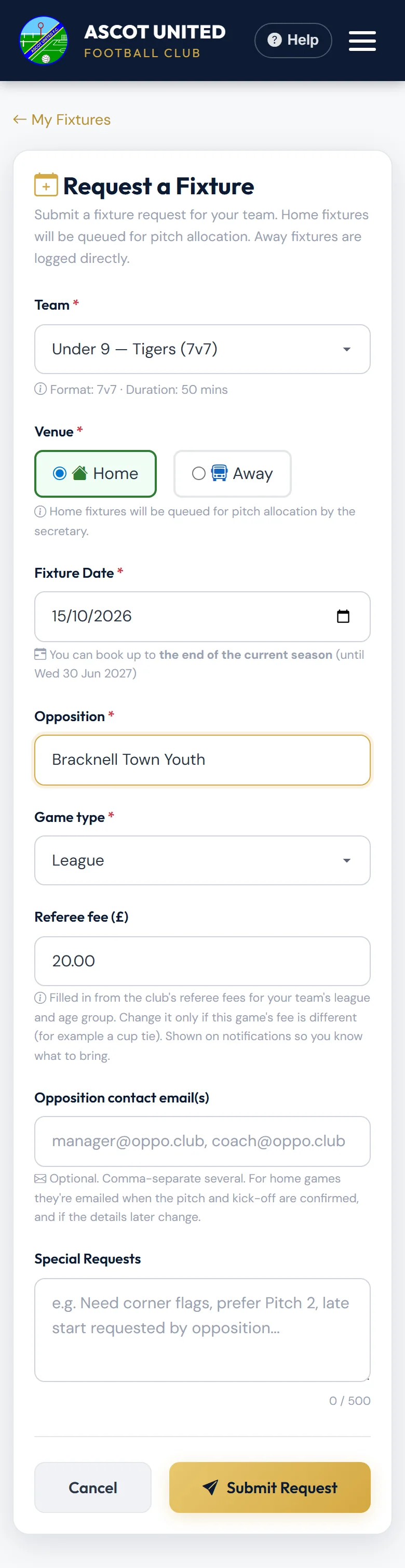
There's no kick-off time on the form — the secretary sets it when they give you a pitch.
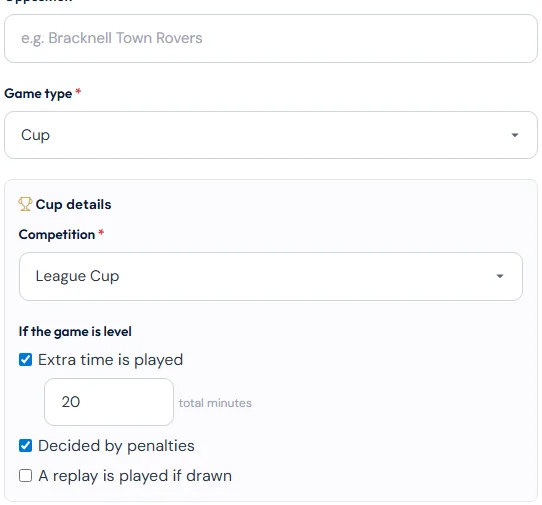
For a Cup game, choose the Competition (League Cup, County Cup or Other, with its Cup name) and tick what happens If the game is level: Extra time is played (with the total minutes), Decided by penalties, or A replay is played if drawn.
What happens next
Home games start as Pending: "Home fixture request submitted… The secretary will allocate a pitch."
When the secretary allocates a pitch, you and the team's managers, coaches and team admins get an email titled Pitch booked. It gives the warm-up time, kick-off, when play ends, the pitch and address, how long the pitch is booked, the referee fee and any notes from the secretary. The opposition contacts you gave get their own email with the kick-off, venue and directions. It comes from an address that doesn't take replies, and lists the team's managers, coaches and team admins with their mobile numbers and email addresses, so the opposition contact you directly. Anyone under 18 isn't listed.
If the club can't fit the game in, you get an email titled Fixture request not approved, with the reason. Request another date, or reply to talk it through with the secretary.
Away games are logged straight away as Confirmed: "Away fixture logged for…". No pitch or referee is arranged, and the opposition isn't emailed.
My Fixture Requests
My Requests lists the fixtures for your teams, soonest first — including ones a co-manager requested, marked requested by and their name — with the time from kick-off to the end of play. Show past shows older ones. Use the eye to open a fixture, or the pencil to edit it.
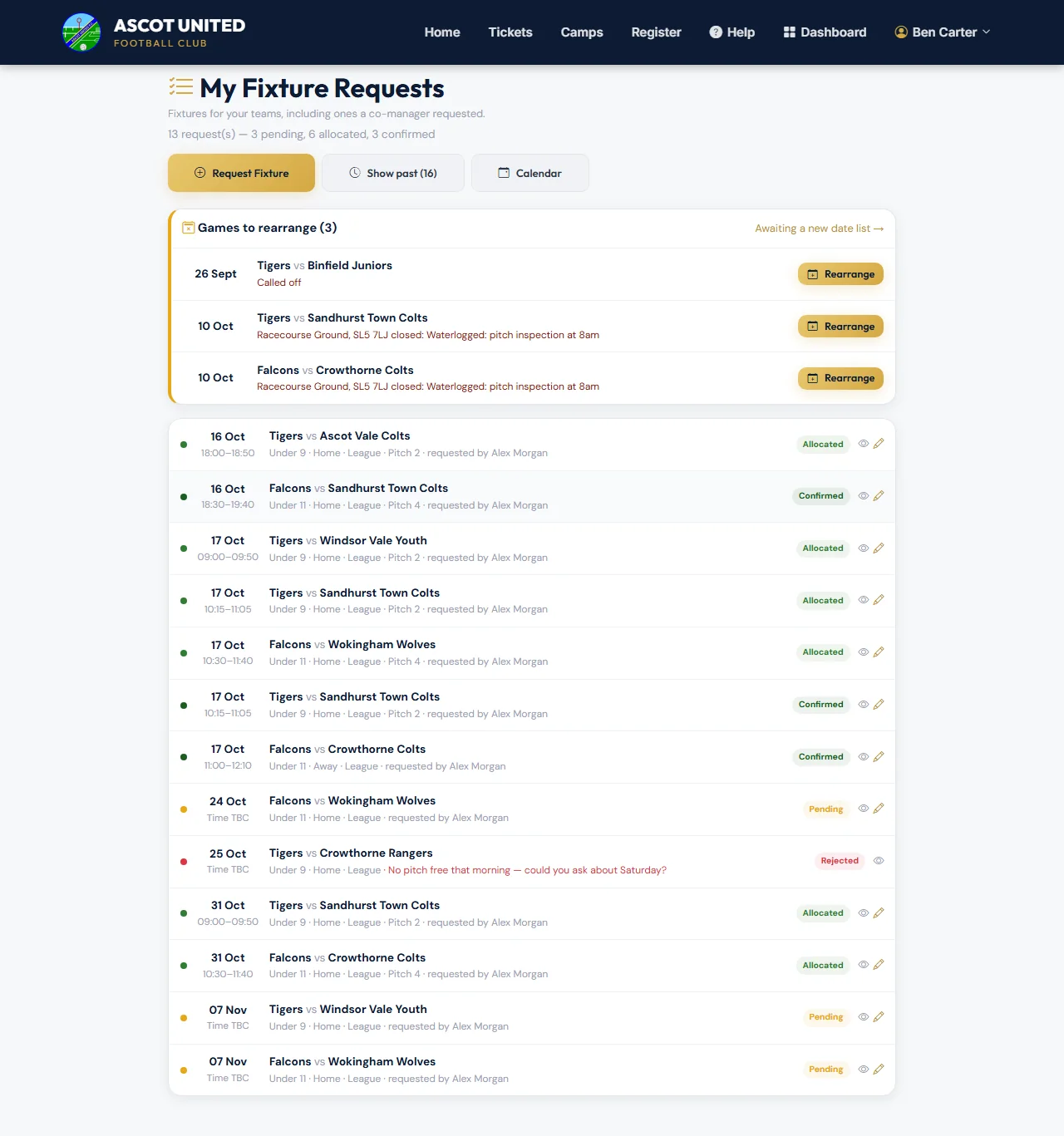
| Status | Meaning |
|---|---|
| Pending | Waiting for the secretary to give it a pitch and kick-off. The secretary may already be planning the weekend, so it stays Pending until they confirm it to you. |
| Allocated | Pitch and kick-off set. No referee has confirmed yet. |
| Confirmed | A referee has confirmed, no club referee is needed, or it's an away game. |
| Rejected | Not approved — the reason is shown in red. |
The Calendar, Pitch Schedule and List views on the Fixtures tab show your teams' pending, allocated and confirmed fixtures.
If the page says "You aren't set up to request fixtures for any active team", ask the club office to add you to your team.
Still stuck?
Fixtures and pitches: Jo Gavin