
When a game is called off, it goes on the Awaiting a new date list and stays there until it's rearranged or the club decides it won't be replayed. That way no called-off game is forgotten after a wet few weeks.
A game goes on the list when:
- the fixtures secretary closes its ground for the day (for example a waterlogged pitch);
- it's cancelled with It needs a new date ticked (see Editing, rescheduling and cancelling fixtures).
Finding your games to rearrange
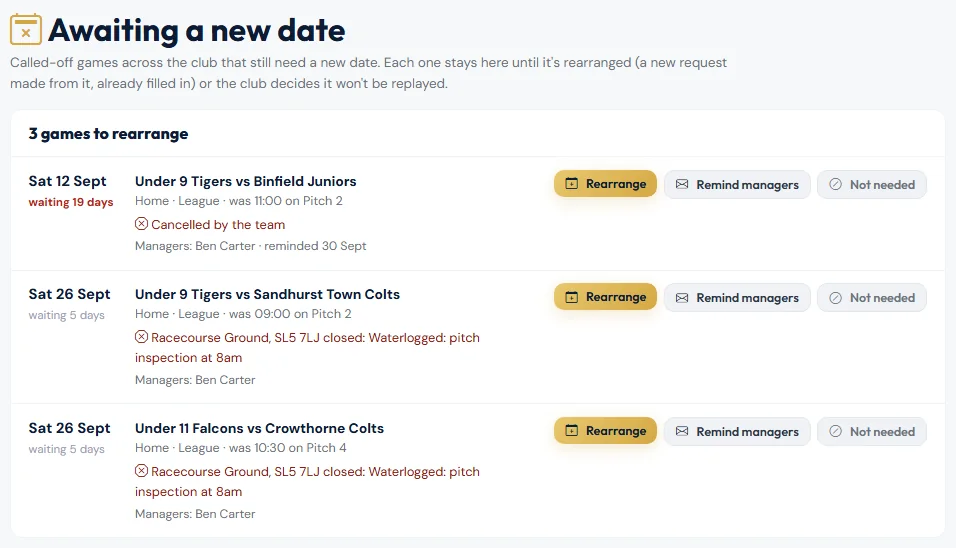
- My Fixtures shows Games to rearrange at the top, with a Rearrange button for each.
- Your dashboard shows Games to rearrange while any are waiting.
- Match Day → Pitch Schedule → Awaiting a new date lists them all. Managers see their own teams; the fixtures secretaries see the whole club.
Rearranging a game
- Agree a new date with the opposition.
- Choose Rearrange. The request opens already filled in from the called-off game: your team, home or away, the opposition, game type and cup rules, the referee fee and the opposition's emails. Special Requests says which game it replaces, with its old kick-off and pitch, so the secretary can give it the same slot.
- Choose the Fixture Date, check the rest, and choose Submit New Date.
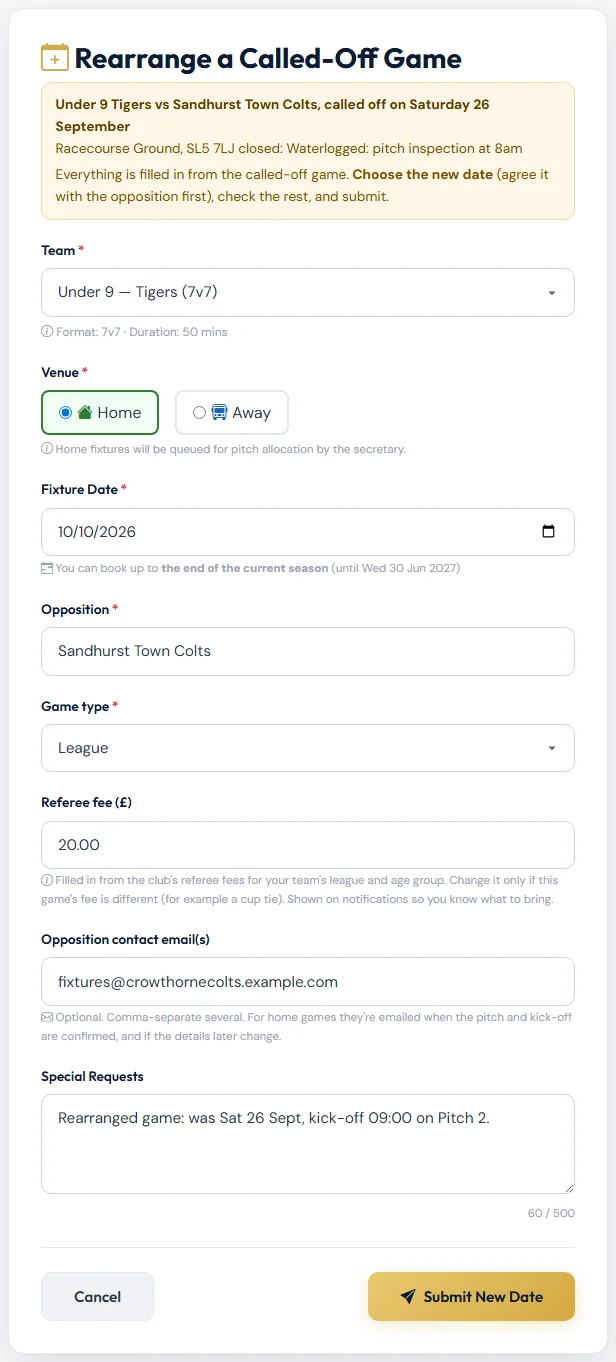
The new request is handled like any other: the secretary allocates a pitch and kick-off. The called-off game comes off the list, and both fixture pages link to each other.
If the secretary turns the new request down, the called-off game goes back on the list.
A game that won't be replayed
If the league says there's no replay, or the opposition have conceded, choose Not needed and say why. The game comes off the list, and it's shown under Dealt with in the last 60 days. Put back on the list undoes it.
For the fixtures secretaries
- Each game shows its managers, and Remind managers emails them a Rearrange this game button that opens the request already filled in. The list shows when they were last reminded.
- Games waiting two weeks or more are shown in red.
- You can rearrange any team's game yourself.
Games called off by closing a ground on the Pitch Schedule all go on the list automatically. Take off any that won't be replayed with Not needed.
Still stuck?
Fixtures and pitches: Jo Gavin