
Keep your email and mobile number up to date. That's where the club sends payment links, availability requests and match-day messages.
Changing your details
- Open the menu with your name and choose Edit My Details. (You can also use Edit My Details in the dashboard's quick links.)
- Change what you need: - Full Name, Email Address and Phone Number - FA Number (FAN) and Date of Birth — the club uses these to link you to your child on the FA's Whole Game System - your address - your second parent or guardian (see Adding a second parent or guardian)
- Choose Save Changes. You'll see "Your details have been updated."
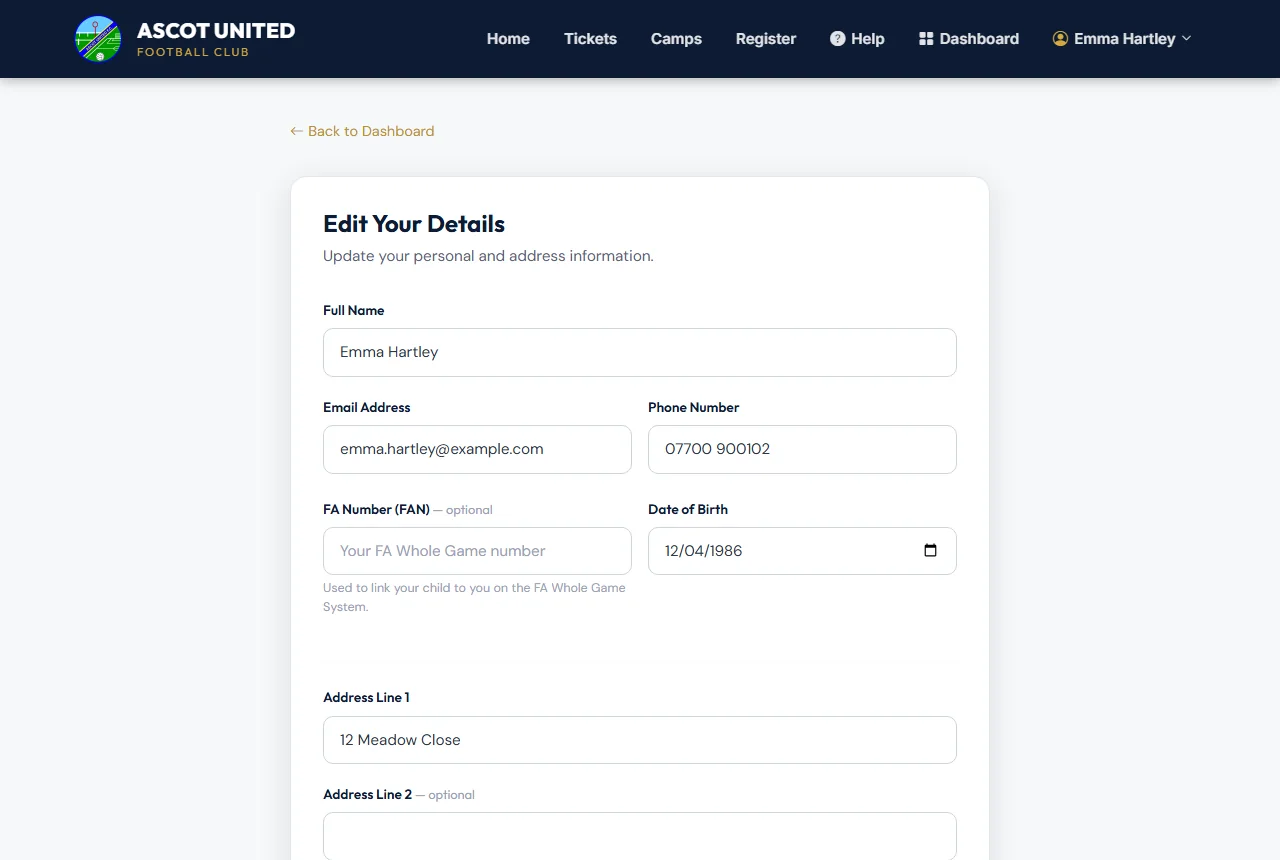
Your email is also your sign-in name. If you change it, sign in with the new email from then on.
Club news
Tick or untick Club News & Updates to choose whether you get the club's general news. Messages about your child's own team — fixtures, training and availability — always come to you, because they're part of taking part (you choose how: see below).
Every club news email also has an Unsubscribe from club news link at the bottom. A second parent or guardian uses that link to stop their own club news — their choice isn't on Edit My Details.
Team messages
Under Team messages, choose how availability requests, reminders, changes and games being called off reach you: Email and text, Email only or Text only. It applies to your second parent or guardian too. See Email, text or both.
Your child's details
Your child's details — medical needs, allergies, photo consent and ID — are changed separately. On your dashboard, choose Edit on your child's card. See Your parent dashboard explained.
Still stuck?
Registrations and membership: Registrations