
A second parent or guardian can have their own email and password to see your family's dashboard, reply to availability requests and pay for things. They also get club messages.
Adding them
You can add them in either of these places. Either way, we email them an invitation to set their own password.
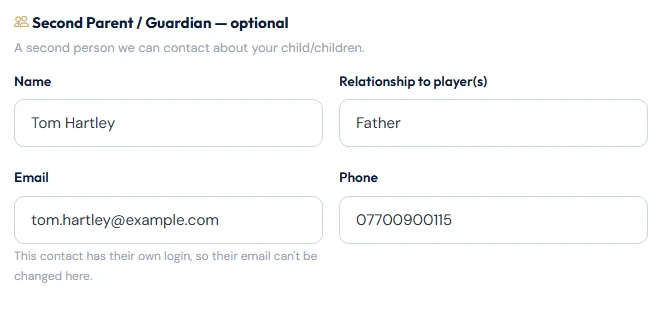
While registering a player: tick Add a Second Parent / Guardian and fill in their name, email, phone and relationship to the player.
At any time: open the menu with your name, choose Edit My Details, and fill in the Second Parent / Guardian section. Choose Save Changes.
What they need to do
- Open the email "… has added you to Ascot United FC — Set your password".
- Choose Set My Password and pick a password of at least 8 characters.
- Choose Activate My Account, then sign in with their own email and new password.
The invitation link lasts 7 days and can only be used once.
Resending an invitation
If the invitation has expired or gone astray, open Edit My Details. While they haven't set a password, you'll see Resend invitation in their section. Each new invitation replaces the old one. Changing their email and saving also sends a fresh invitation.
What a second parent or guardian can do
- See the family dashboard, children and their statuses.
- Reply to availability requests, pay fees and book camps.
- See My Payments.
Only the main account holder can change the account's details, two-step login and trusted devices. If their own details need changing, the main account holder can do it in Edit My Details.
If your family has more than one second contact, the others are listed on Edit My Details. To change those, contact the club.
Still stuck?
Registrations and membership: Registrations