
Two-step login means that, as well as your password, you enter a short code when you sign in. Even if someone learns your password, they can't get into your account without the code.
It's optional for parents and required for club staff (unless the club has switched it off for you).
Turning it on
- Sign in, open the menu with your name and choose Two-step login. (You may also be offered it straight after signing in.)
- Choose how you'd like to get your code: - Authenticator App (recommended) — Microsoft Authenticator or Google Authenticator. Scan the QR code, then type the 6-digit code the app shows and choose Confirm Authenticator App. - Text Message (SMS) — choose Send SMS Code, then type the code from the text and choose Confirm SMS. - Email Code — choose Send Email Code, then type the code from the email and choose Confirm Email Code.
- You'll see "Two-factor authentication has been enabled on your account."
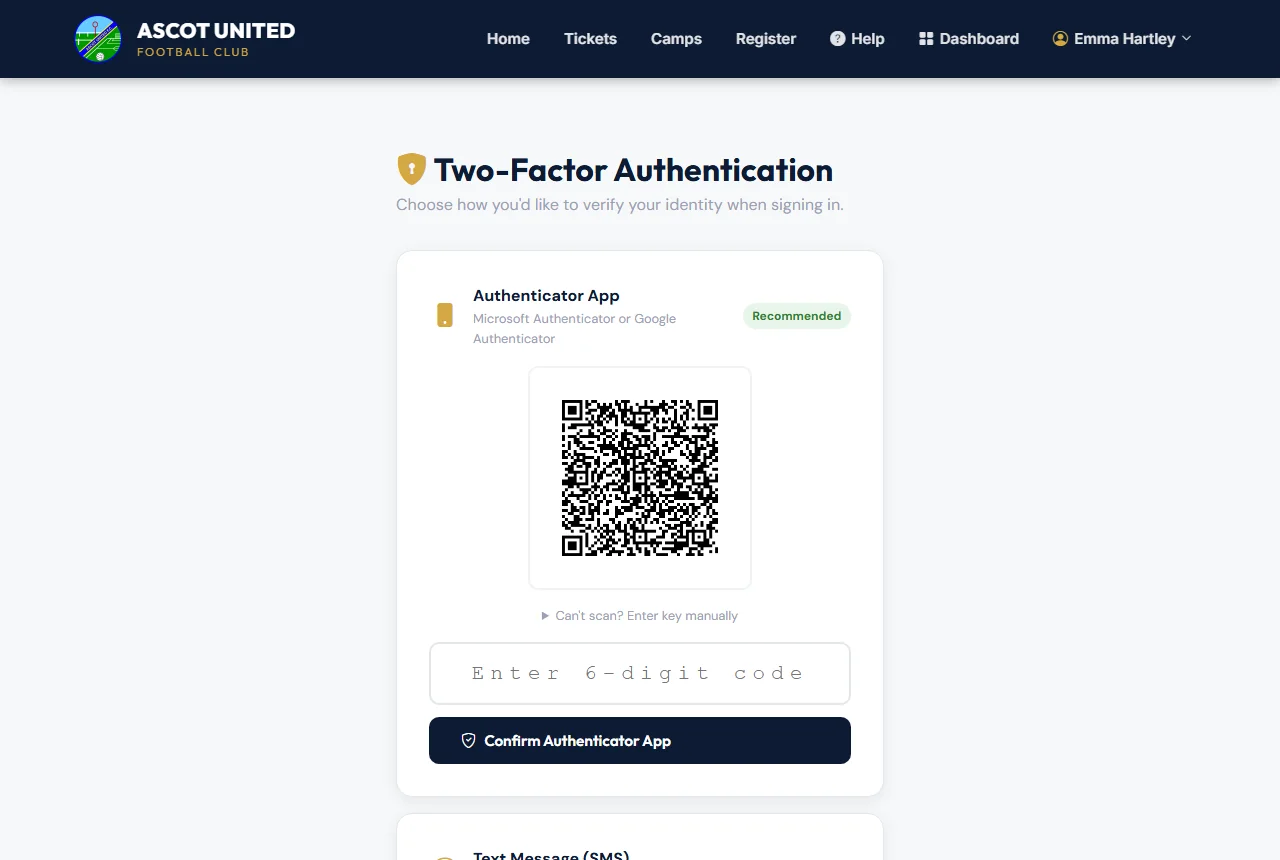
Set-up codes last 10 minutes. If a code doesn't work, check it and try again, or send a new one.
Signing in with a code
After your password you'll be asked for your code:
- Authenticator app: open the app and type the current 6-digit code.
- Text: we text you a 6-character code. It doesn't matter whether you type it in capitals.
- Email: we email you a 6-digit code.
Codes sent by text or email last 5 minutes. If yours hasn't arrived, use Didn't get it? Try another way to have one emailed or texted instead, or Resend code.
Trusting your own device
When you enter your code, tick Trust this device for 14 days to skip the code on that phone or computer. You'll still need your password. Only tick it on a device that's yours and not shared.
To stop trusting every device at once, open the menu with your name and choose Forget trusted devices. Resetting your password does the same.
Changing method or turning it off
Open the menu with your name and choose Two-step login. The page shows which method you use.
- To change method, set up the new one on the same page. It replaces the old one.
- To turn it off (parents), open Turn off two-step login, enter your password and confirm. Club staff can only turn it off if the club hasn't made it a requirement for them.
Security alert emails
If someone enters a wrong code while signing in to your account, we email you a Security Alert. If it wasn't you, reset your password straight away and contact the club.
A second parent or guardian signs in to the family account with their own password. Only the main account holder can change two-step login for the account.
Still stuck?
Problems with the app: Dan Birchmore