
Messages about your child's team come by email and text unless you choose otherwise. These are:
- availability requests and reminders;
- changes to an event you were asked about;
- an event or game being cancelled or called off.
You can have them by Email and text, Email only or Text only.
Changing it from a message
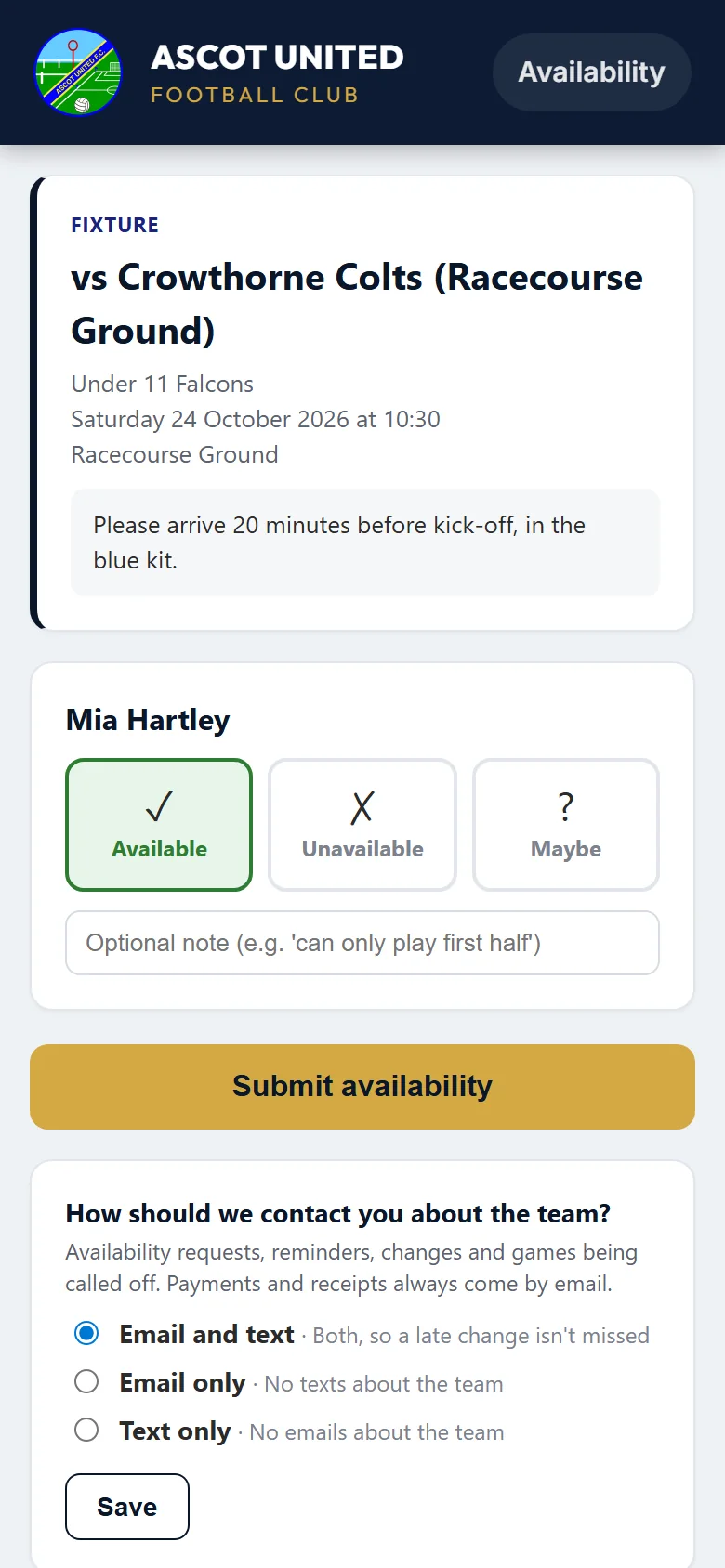
Most parents never need to sign in for this. At the bottom of the page you open from an availability request, under How should we contact you about the team?:
- Choose Email and text, Email only or Text only.
- Choose Save. You'll see "Saved" with your choice.
Changing it when signed in
- On your dashboard, choose Edit My Details.
- Under Communication Preferences → Team messages, choose how you'd like them.
- Choose Save Changes.
Good to know
- It's one choice for the family: your second parent or guardian gets team messages the same way, at their own email address and mobile.
- If you choose Text only but we don't have a mobile number we can text, we'll email you instead, so you never miss a message.
- Payments, receipts, tickets and account emails always come by email.
- Messages a coach sends from the club's messaging page come the way the coach chooses.
- The club office can change it for you if you ask.
Still stuck?
Fixtures and pitches: Jo Gavin