
If your child will be away or injured for a while, add a block-out. They're marked unavailable for everything in those dates, and you won't be asked about each match or session.
Adding a block-out
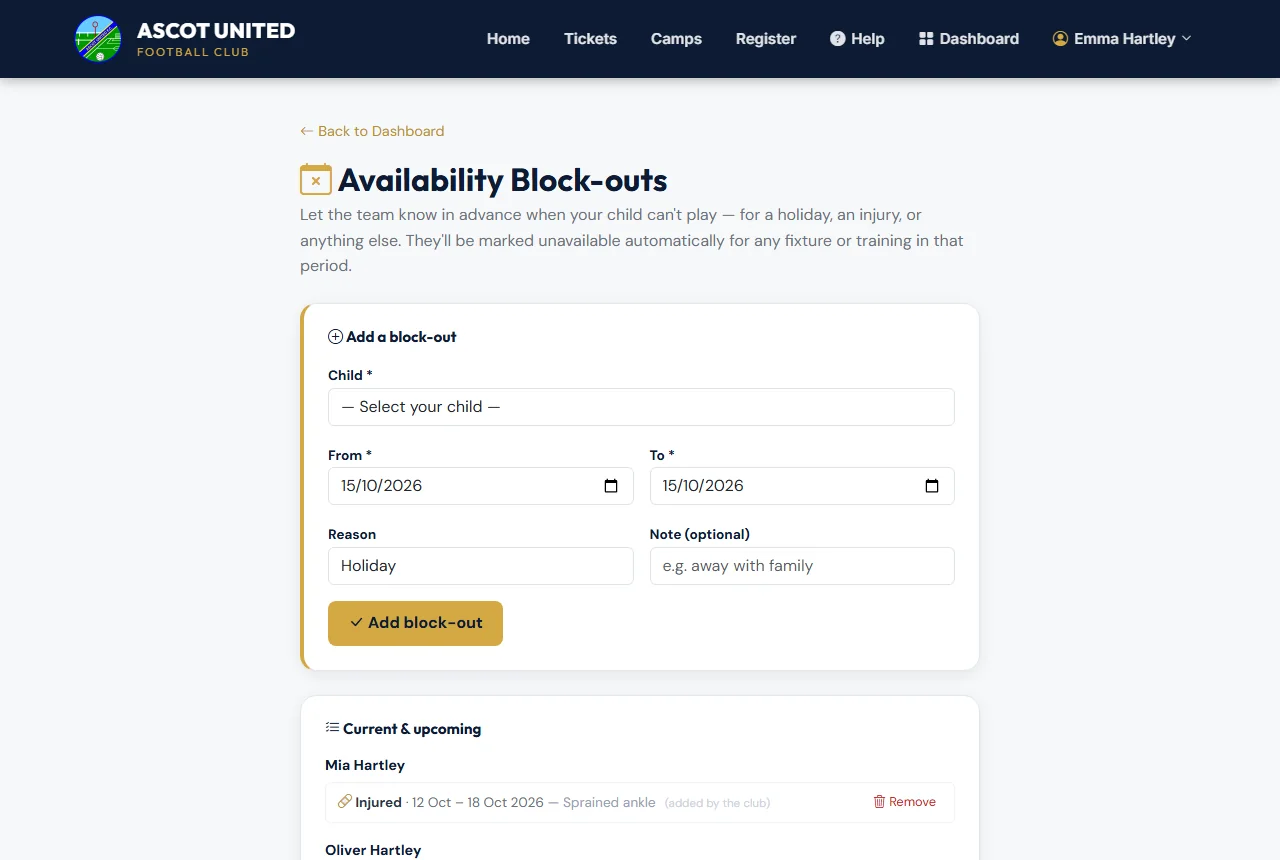
- On your dashboard, choose Availability Block-outs in the quick links.
- Under Add a block-out, choose your child, the From and To dates and a reason — Holiday, Injured, School or Other. You can add a short note.
- Choose Add block-out.
Any availability requests already open for those dates are changed to Unavailable. If you'd already said your child was available (or maybe), the coach is told. New requests in those dates are answered for you, and you won't be sent them.
Removing a block-out
If plans change, choose Remove next to the block-out. Any requests it had answered for you go back to waiting for your answer, so reply to them from your dashboard or the link in the message.
The coach can also add a block-out for your child — it shows (added by the club).
Still stuck?
Fixtures and pitches: Jo Gavin