
Coaches ask whether your child can make a match, training or team event. You'll get an email, and a text if we have your mobile number, unless you've chosen email only or text only. Second parents and guardians get the same message.
Replying from the message (no sign-in needed)
- Tap Respond Now in the email, or the link in the text.
- For each child, tap ✓ Available, ✗ Unavailable or ? Maybe. You can add a short note — for example "can only play the first half".
- Tap Submit availability. You'll see "Thanks — your availability has been saved."
You can change your answer any time before the event, from the same link.
If the coach changes the date, time or place, you'll get an email starting Updated: (and a text if we have your mobile). The reply page shows what's changed above your earlier answer — check it still works, and change it if not.
Replying from your dashboard
If you're signed in, requests waiting for an answer are listed under Awaiting Your Response on your dashboard. Tap Respond Now (or Update to change an answer), choose for each child and tap Submit Availability.
What the request shows
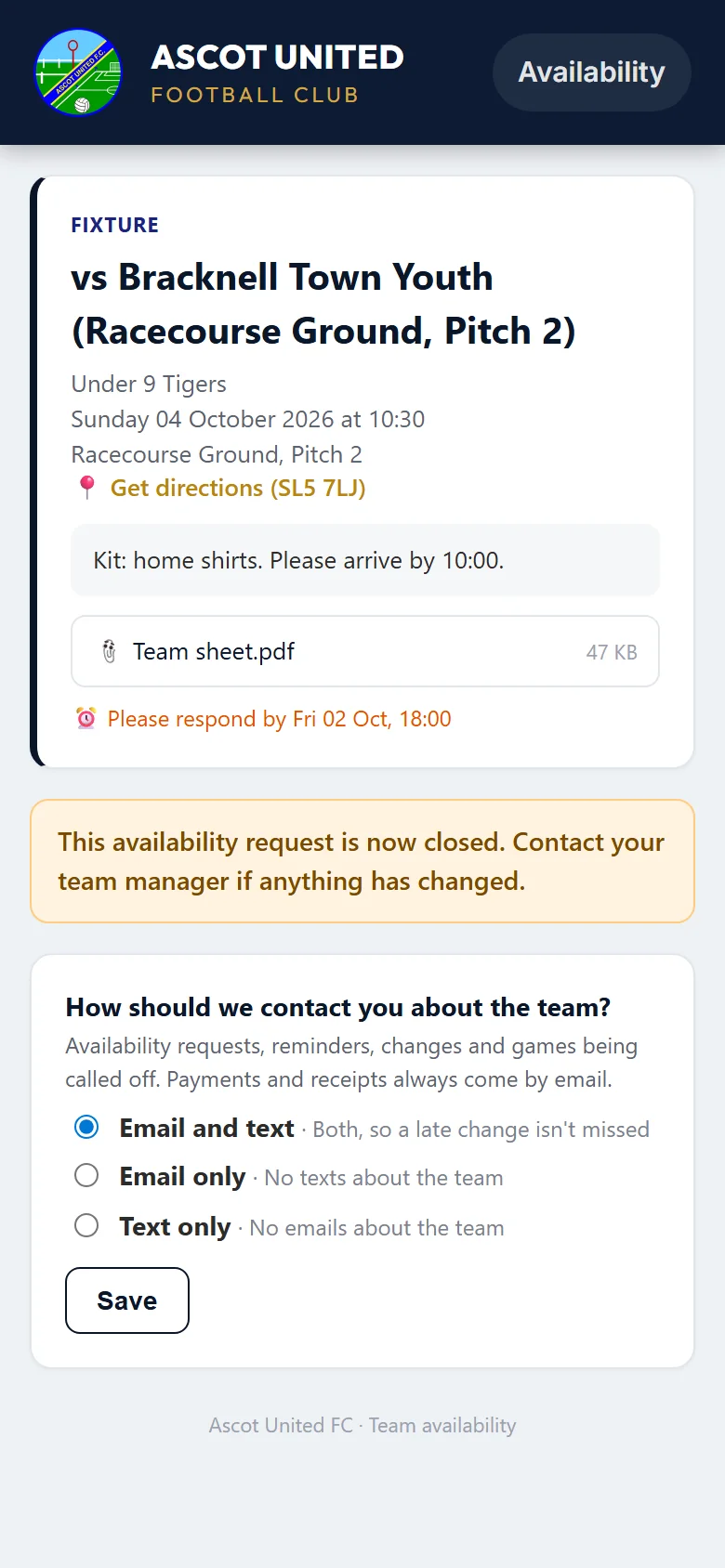
- The match or session, date and time, and where it is — with Get directions if there's a postcode.
- Any message or attachment from the coach, such as a team sheet or kit list.
- Please respond by — the date the coach would like an answer by.
Good to know
- If you change a child from Available or Maybe to Unavailable, the coach is told straight away.
- The coach may send a reminder to anyone who hasn't answered.
- Once the event day has passed, or the coach closes the request, the page shows "This availability request is now closed." If something has changed, contact the coach directly.
- If the event is cancelled or the game is called off, you'll be told (second parents and guardians too), and the link shows "This event has been cancelled — no response is needed." See When a game is called off.
- To change how team messages reach you, use How should we contact you about the team? at the bottom of the page.
- If your child is going to be away for a while, add a block-out instead of answering each request.
Requests are only sent for children whose registration is complete. If a child is still Awaiting Payment, they won't get them.
Still stuck?
Fixtures and pitches: Jo Gavin