
Managers, coaches and team admins can see every team's games, not just their own. You can see who is playing where and when, and sort out pitches and keys with the other managers.
The Fixture List
Open Match Day, then the List tab.
- It shows the next 30 days. Change From and To and choose Apply to look further ahead (up to six months at a time).
- Your own teams are highlighted. Tick My teams only to hide everyone else's games.
- Team shows just one team.
- The senior teams' fixtures (the Mens, Womens, U18 Isthmian and Berks County) are listed too, marked Senior, from the club's separate fixtures site. They're left out when you pick a Team or tick My teams only.
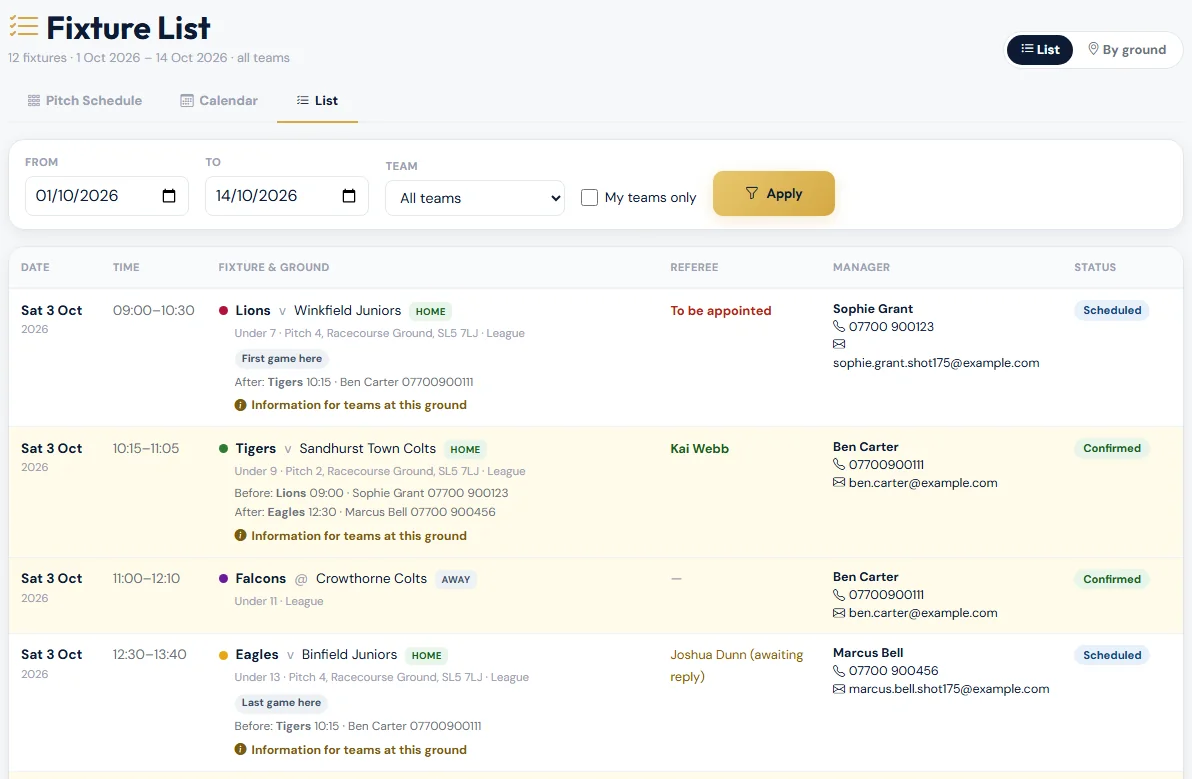
| Column | What it shows |
|---|---|
| Time | Kick-off to the end of the game, including half-time and time after the match. |
| Fixture & ground | The teams, HOME or AWAY, the age group, and the pitch and ground. For home games it also shows who is on before and after you at that ground, First game here or Last game here, and the ground's information for teams. |
| Referee | Green: confirmed. Amber: asked, waiting for a reply. Red To be appointed: nobody yet. Away games show a dash. |
| Manager | The team manager's name, mobile and email. If a team has no manager set up, you see its coaches or team admins instead. Tap the number to call or the email to write. |
| Status | Scheduled: a pitch is booked. Confirmed: the referee has confirmed (or it's an away game). Awaiting pitch: the club hasn't given it a pitch yet. |
By ground
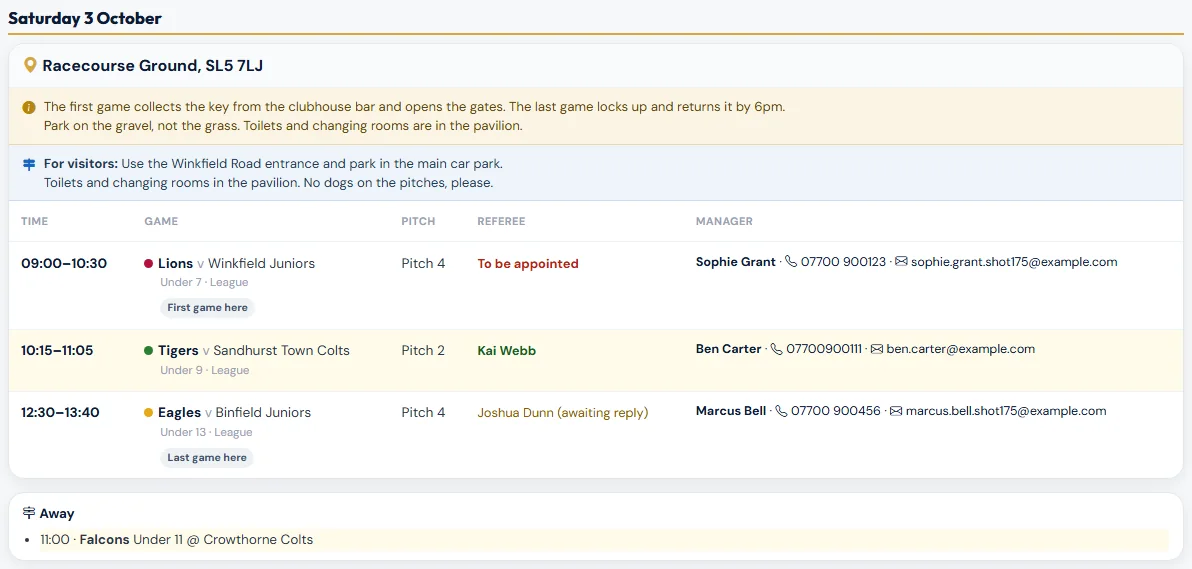
Choose By ground at the top. Each day is split into grounds, and each ground lists its games in kick-off order, so you can see straight away who is on before and after you. The ground's information for teams is shown under its name. Away games, home games still waiting for a pitch, and any senior fixtures are listed under each day.
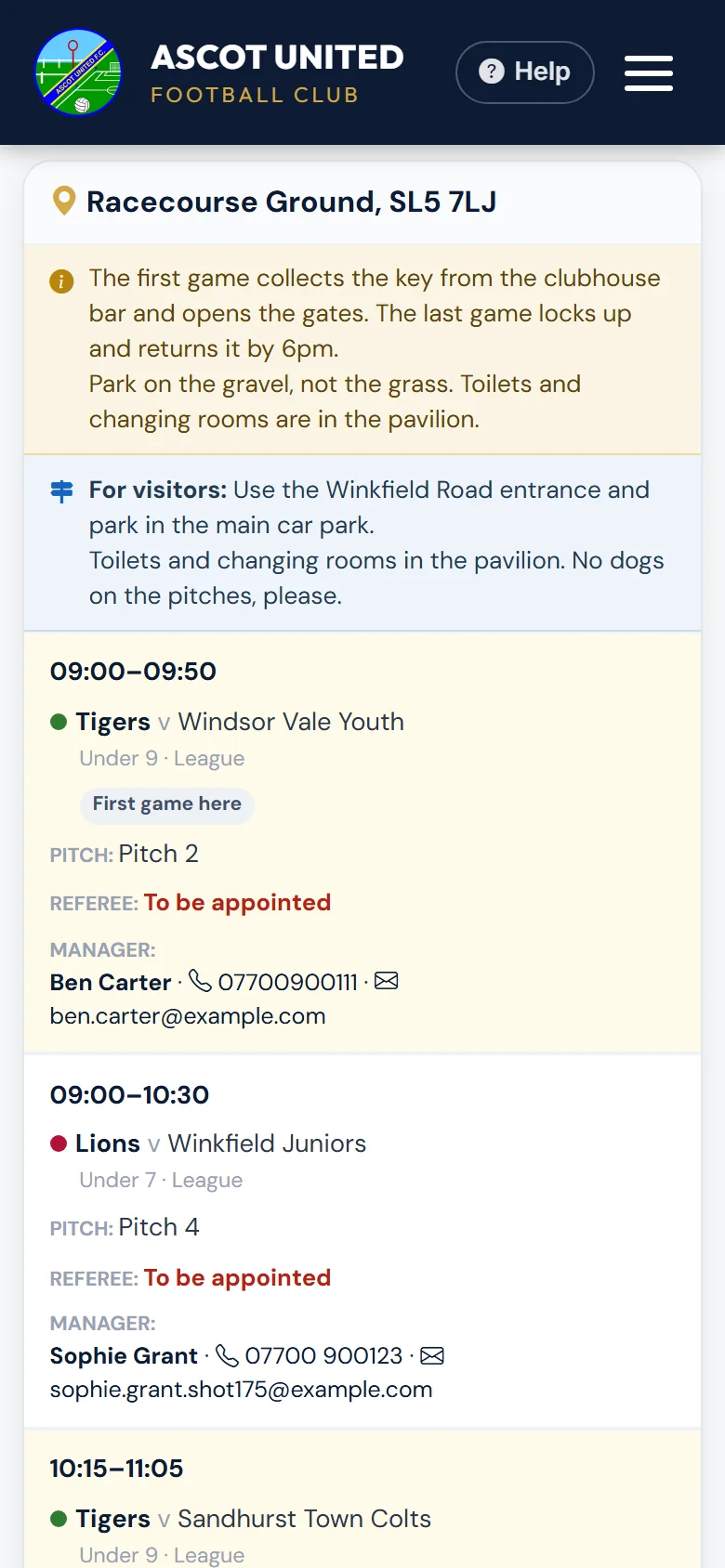
On a phone, each game is shown as a card.
What teams need to know at each ground
The club can write down anything teams playing at a ground need to know: for example how the key at Goaters is collected and returned, gate or key-safe codes, parking, toilets, or who to call. Every team playing there sees it, not just the first or last game.
- In By ground, it's under the ground's name, with the information for visitors (directions, parking and so on) in blue underneath. Visitors' information also goes to the opposition, the referee and parents, so you don't need to send it yourself.
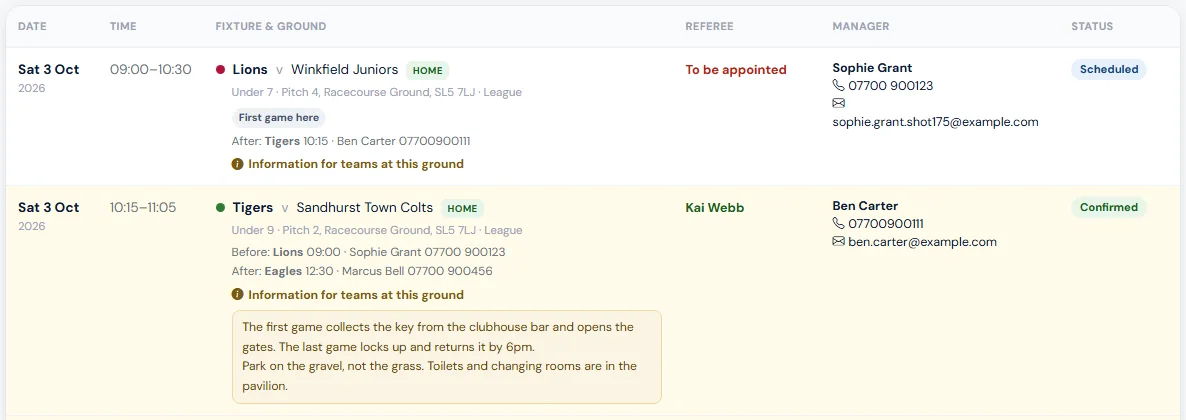
- In the List, choose Information for teams at this ground under any home game to open it.
- Each game also says who is on Before and After you, with their manager's name and mobile, and marks the First game here and Last game here that day. So if the first game opens up and the last locks up, you can see whose job it is and who to hand over to.
The order is worked out from the games booked at the time. If a game is added, moved or cancelled, who is first or last can change, so check the list again before the weekend.
If the information for a ground is wrong or out of date, tell the club office. They set it on the pitch in Set Up → Pitches.
In your phone's calendar
Choose Add to my calendar at the top of the Fixture List to add your team's fixtures to your phone or computer calendar. Kick-off changes and cancellations then appear by themselves. Parents can do the same from their dashboard. See Team fixtures in your phone's calendar.
If a ground is closed (for example waterlogged), a red banner on the Fixture List says so, and its games show as cancelled.
The weekly fixtures email
Every Thursday morning team staff get an email with the coming weekend's games. The club can change the day and time.
- It starts with Your team: your games, who is on before and after you with their manager's contact details, and the information for each ground you're playing at.
- Then every home game, by day and ground, with the ground's information, the referee and the team's manager.
- Then the away games.
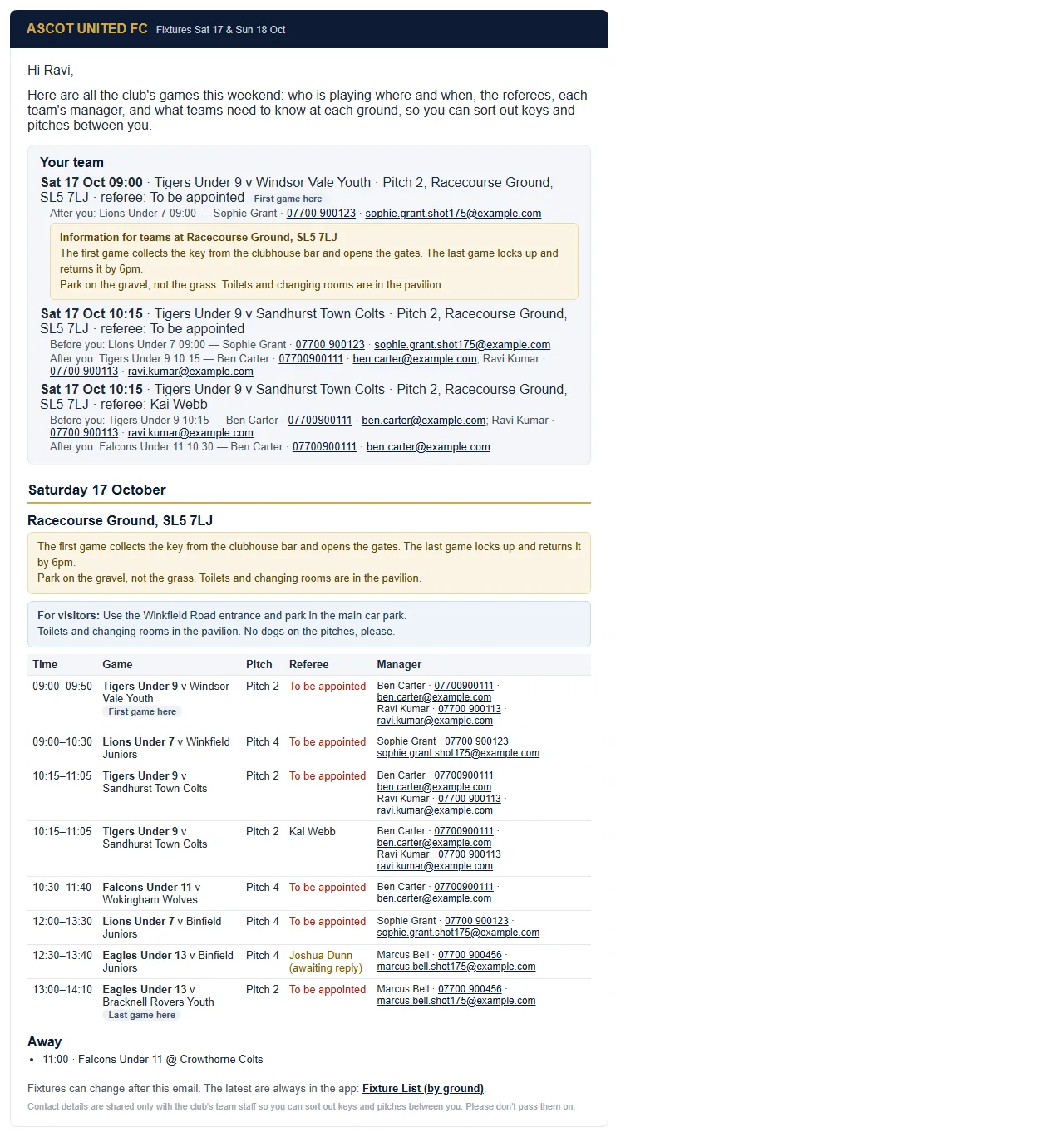
The email goes to everyone with a manager, coach or team admin role on a team this season. Age-group leads get it too. To stop getting it, ask the club office. It's the Fixture alerts setting on your staff record, which also stops your own team's fixture emails.
Other managers' contact details, and any codes in a ground's information, are for sorting out games, pitches and keys. Please don't share them outside the club or add them to group chats.
Still stuck?
Fixtures and pitches: Jo Gavin