
If a referee is under 18, the club contacts their parent or guardian, never the young referee directly. You accept or decline matches for them, and the club and the teams contact you.
What you receive
Everything for your child comes to your email and mobile:
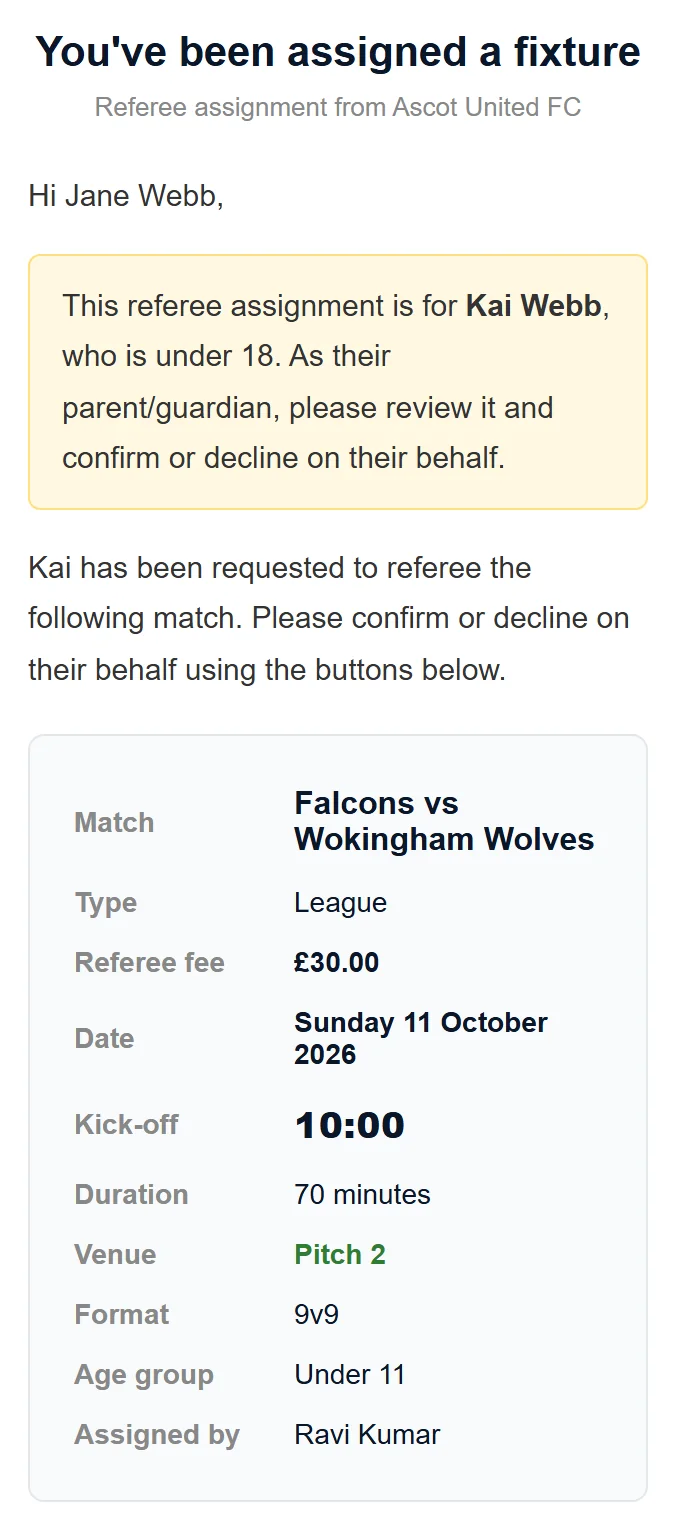
- appointments, with the subject Referee Assignment for your child's name,
- the weekly message asking whether your child can referee that weekend (Can name referee this weekend?), which you answer for them — see Availability and holidays,
- reminders if nobody has replied,
- changes and cancellations,
- login links for the portal.
The email has a yellow note saying the appointment is for your child and asking you to confirm or decline on their behalf. Texts name your child with (U18).
Nothing is sent to your child's own email or phone, even if the club has them. So make sure the club has your email address and mobile number. Login links only go by email, so without your email you can't get one.
Replying for your child
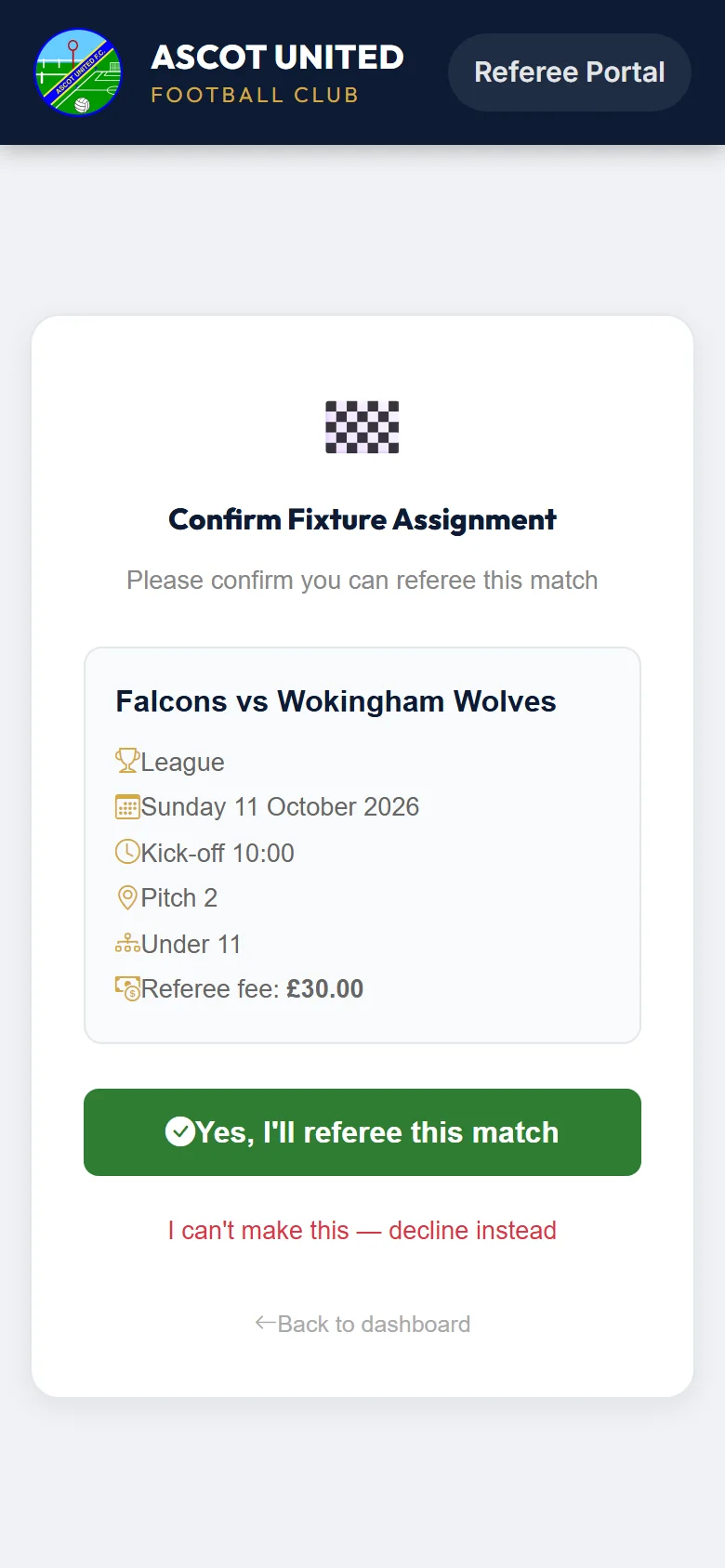
Tap ✅ Accept Assignment or ❌ Decline in the email, or the link in the text. The pages are the same ones referees use, so they say "you". Replying there is replying for your child. See Confirming or declining a match.
Signing in as a parent
Use your own email address:
- Login link: on the sign-in page, enter your email and tap Send login link. The email is called Referee Portal login link for your child's name.
- Password: once you're in, open My details and set a password. It shows the email to sign in with, which is yours.
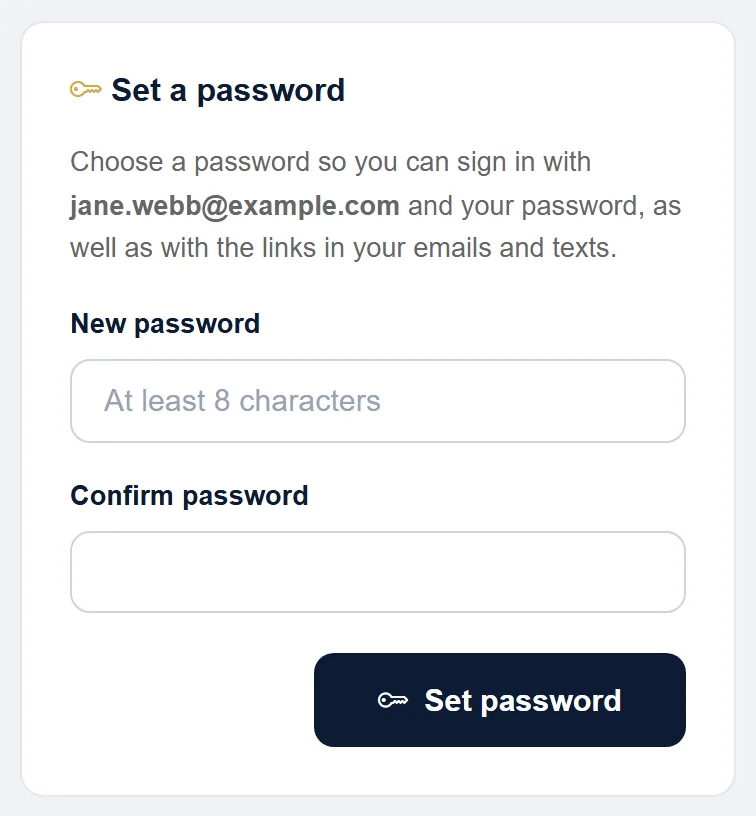
Either your email or your child's email works with the password. If your child asks for a login link with their own email, it's sent to you. Everything else is the same as for adult referees. See Signing in to the referee portal.
If more than one of your children referees, each has their own portal, but you only need one password: setting it on one child's My details sets it for all of them. Once you're in, use Switch to name at the top of the dashboard (on a phone, in the ☰ menu) to move between them. A login link request sends one email for each child.
Your child's details
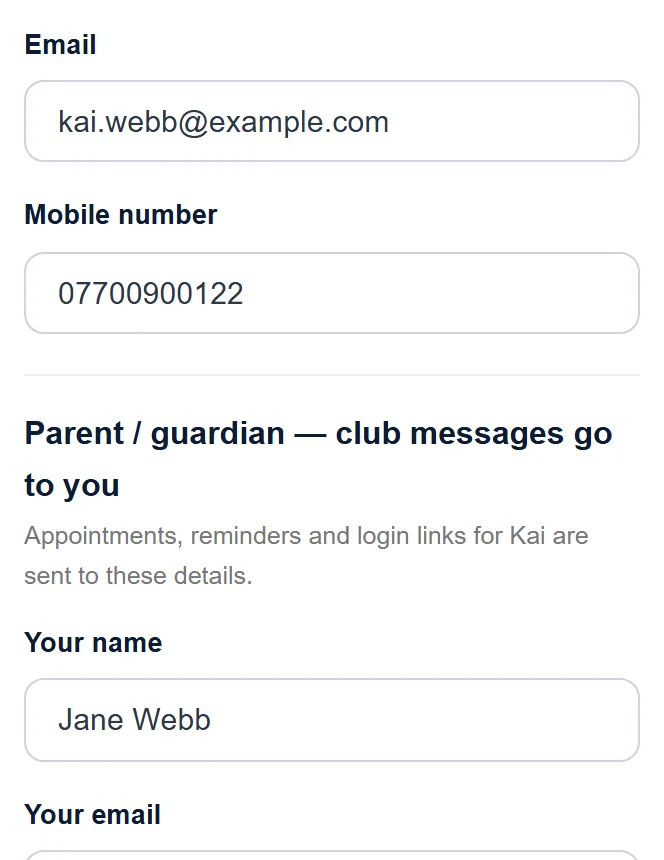
On My details you can update your child's own email, mobile number, usual days and registration numbers. Their email can be left blank.
Your own details
Club messages go to you, so keep your details up to date. On My details, under Parent / guardian — club messages go to you, change Your name, Your email and Your mobile, then tap Save details. Your email can't be left blank — it's how you sign in and get your child's appointments. If you have more than one referee child, the change applies to all of them.
What the team sees
When a match is accepted, the team's managers and coaches get your child's name and registration numbers. As a contact they get your name, phone and email, with a note to contact you, not the referee.
When your child turns 18
If the club has your child's date of birth, messages go to them directly from their 18th birthday — make sure their own email and mobile are on My details before then. If the club doesn't have their date of birth, messages keep coming to you until the club updates their record, so let the club know.
Still stuck?
Referees and appointments: Jo Gavin