
When the club appoints you to a match you'll get an email, a text, or both. They come from Ascot United FC and ASCOTUTD. The email's subject starts Referee Assignment, followed by the match and date.
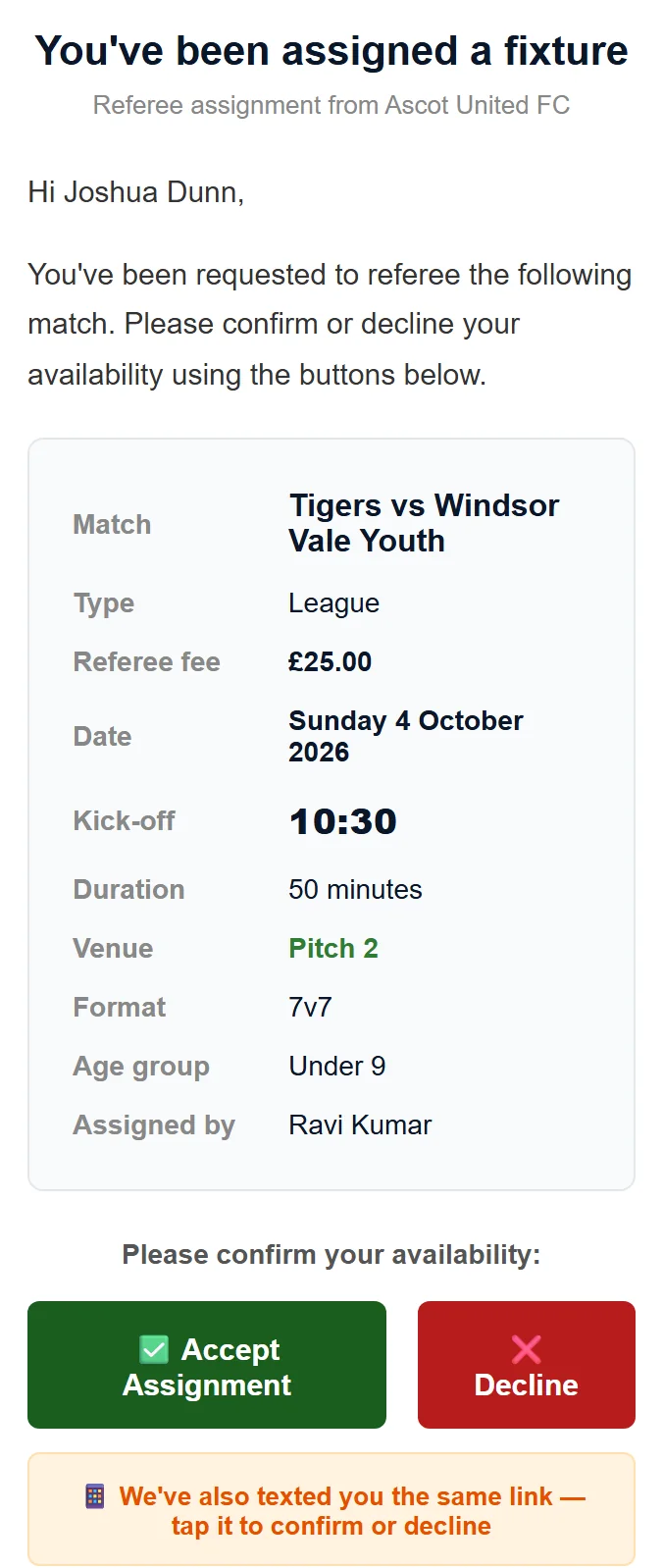
The email shows the match, type (league, cup or friendly), referee fee, date, kick-off, duration, venue, format, age group and who appointed you. The duration is the playing time, so allow extra for half-time.
Accepting
- Tap ✅ Accept Assignment in the email, or the link in the text.
- Check the details and tap Yes, I'll referee this match.
- Your dashboard shows "You've confirmed your assignment for…" and the match moves to Upcoming Confirmed Fixtures.
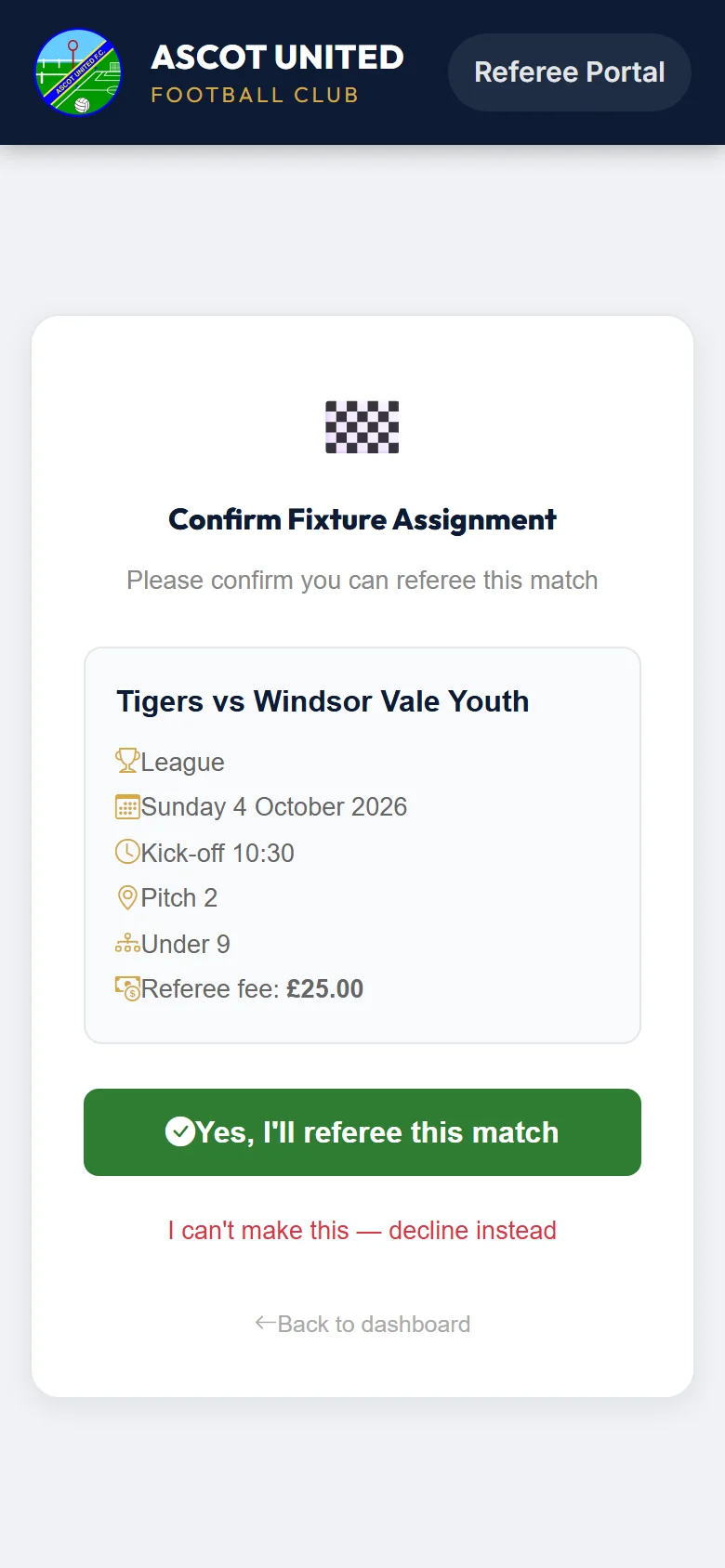
You don't get a confirmation email. The match staying under Upcoming Confirmed Fixtures is your confirmation.
Declining
- Tap ❌ Decline in the email. From the text link, or the accept page, tap I can't make this — decline instead.
- Add a reason if you like, for example "Prior commitment". It's optional and up to 200 characters.
- Tap Decline this fixture. You'll see "You've declined this assignment. The club has been notified."
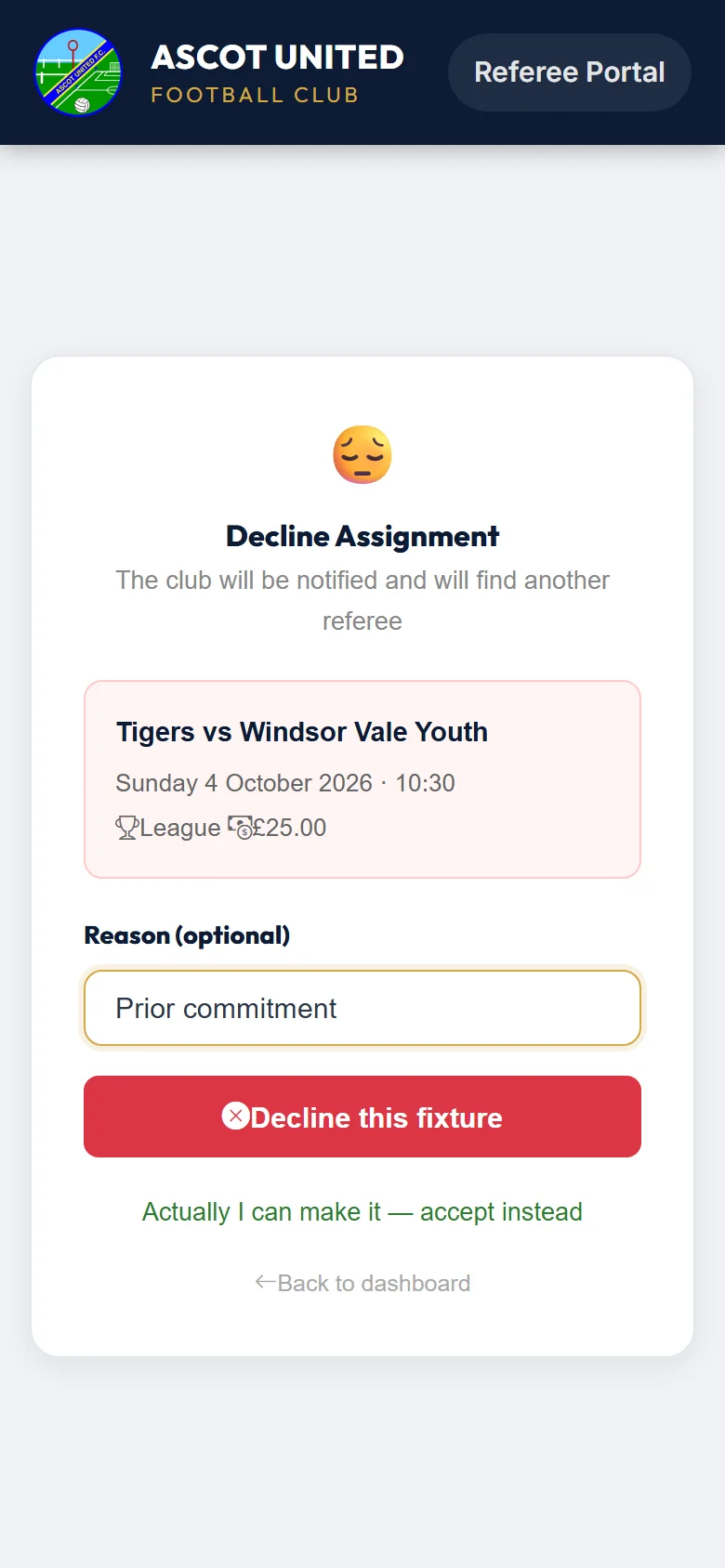
Changed your mind before tapping Decline this fixture? Tap Actually I can make it — accept instead.
Once you've declined, you can't accept the match again in the portal. If you find you can make it after all, contact the club.
Replying from your dashboard
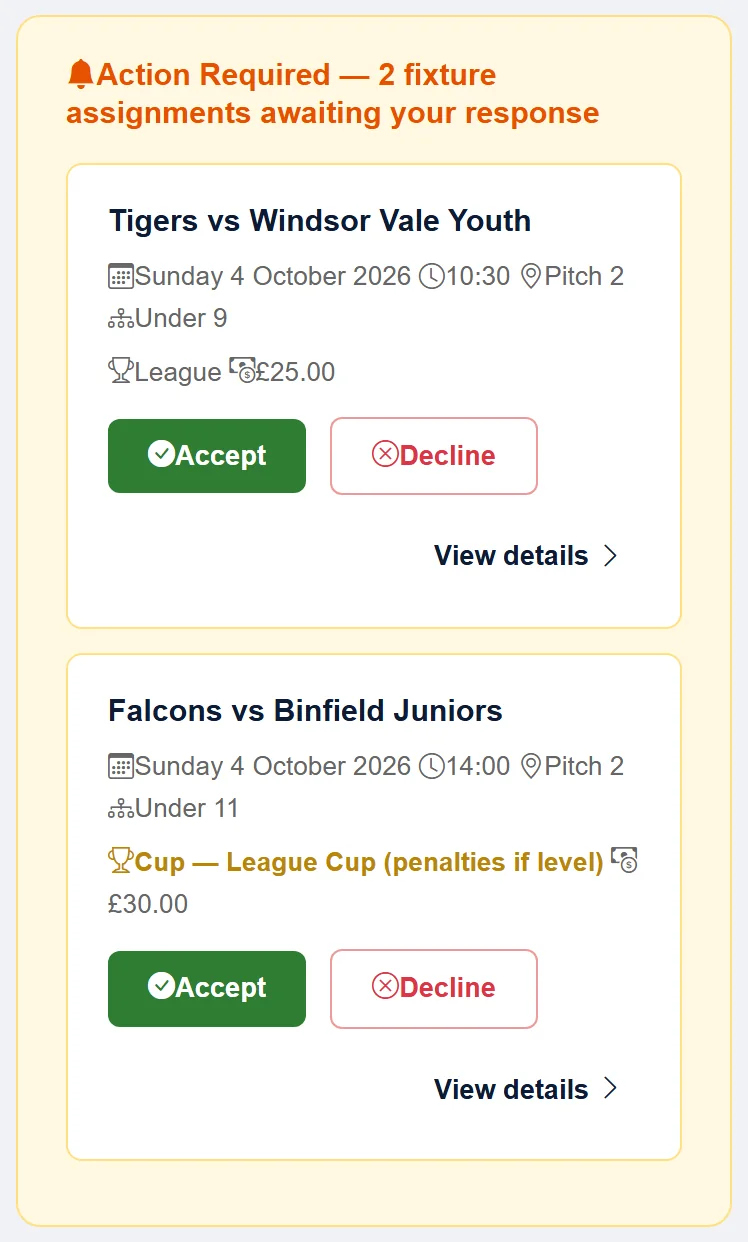
Matches waiting for your answer are listed at the top of your dashboard under Action Required. Tap Accept or Decline and carry on as above, or tap View details to see the match first. See Signing in to the referee portal.
View details shows the kick-off, an approximate finish time, the pitch, age group, format and whether it's a home game.
What happens next
| You… | Who's told |
|---|---|
| Accept | The club's referee secretary. The team's managers and coaches get your name, registration numbers, mobile number and email, so they can contact you and fill in the match paperwork. |
| Decline | The club's referee secretary, with your reason, so they can find another referee. The team isn't told. |
You might be asked to referee more than one match on the same day, usually back-to-back at the same ground. Check the kick-off times before you accept.
If a match you've accepted is moved or cancelled, or the club gives it to someone else, you'll be told. See Withdrawing after confirming.
If you don't reply, the club will remind you. See Reminders and 72-hour links.
Still stuck?
Referees and appointments: Jo Gavin