
If you've accepted a match and can no longer make it, withdraw in the portal so the club can find a replacement straight away. If you haven't replied yet, decline it instead.
Withdrawing from a match
- Sign in to the portal. See Signing in to the referee portal.
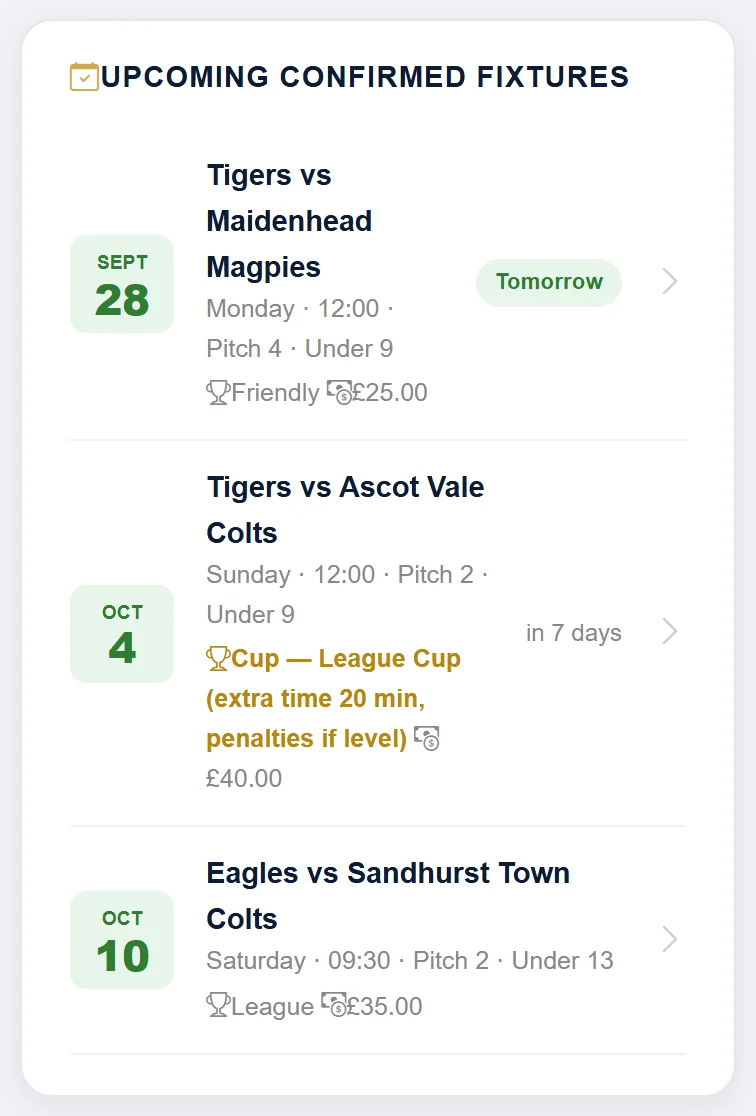
- Under Upcoming Confirmed Fixtures, tap the match.
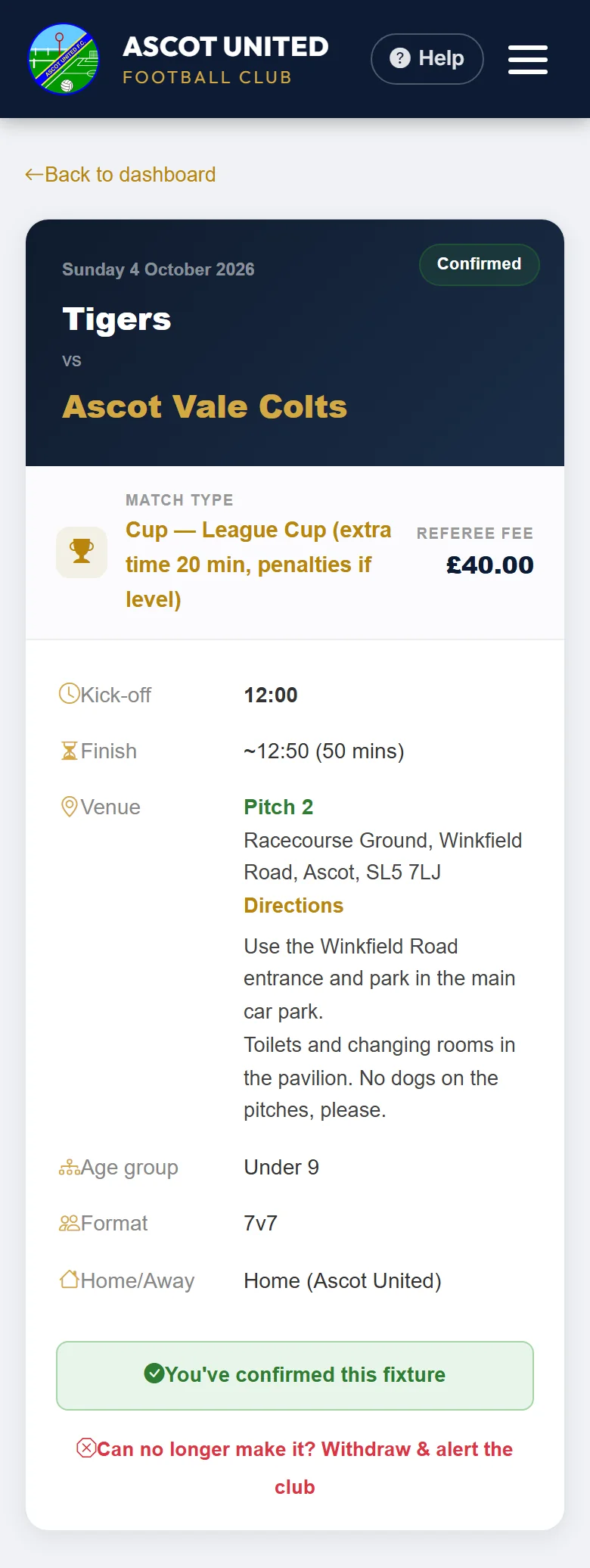
- Under "You've confirmed this fixture", tap Can no longer make it? Withdraw & alert the club.
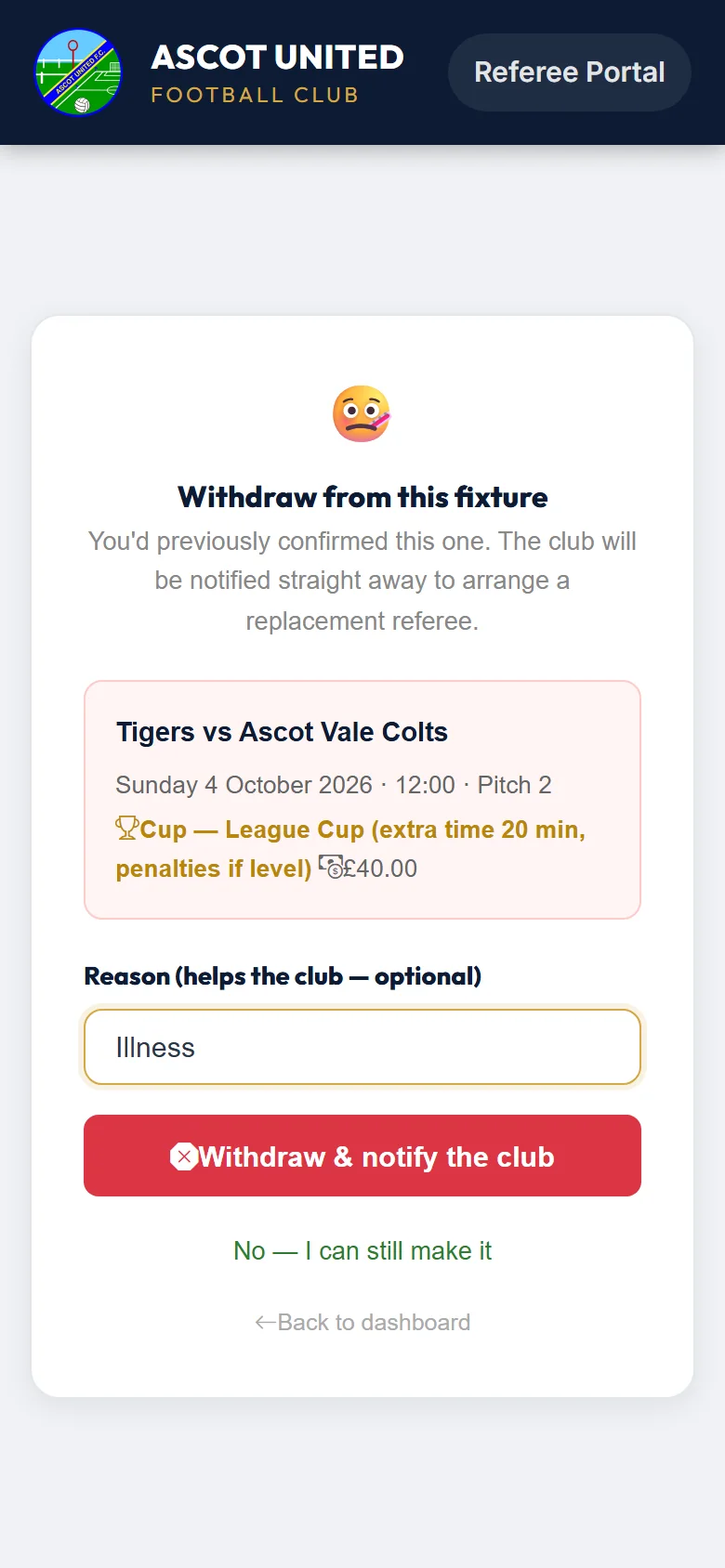
- Add a reason if you like, for example "Illness". It's optional and up to 200 characters.
- Tap Withdraw & notify the club, then OK when asked "Withdraw from this confirmed fixture?"
Your dashboard then shows "You've withdrawn from this fixture. The club has been notified to arrange a replacement — thank you for letting us know." If kick-off is close, the club may ask other referees who are free at that time to cover the game straight away: see Covering a game and giving feedback.
Who is told
- The club's referee secretary gets an email straight away, with your reason, so they can appoint someone else.
- The team's managers and coaches are told you're no longer their referee, and that the club will appoint a replacement. They see your reason too, so keep it short, for example "Illness".
You don't get an email confirming you've withdrawn. You can't undo a withdrawal in the portal. If you can make it after all, contact the club.
There's no cut-off, but the sooner you withdraw the easier it is to find cover. If the match is today or tomorrow, please phone the club as well: [email protected] 07856 210361.
If the club changes your appointment
You don't need to do anything when you get one of these. Each goes by email, and those marked with a text also go by text if you normally get texts from the club.
| Subject | What it means |
|---|---|
| Referee allocation changed | The club has appointed a different referee, or the league is providing the official. You're no longer needed. |
| Referee allocation cancelled (and a text) | The club has taken you off the match. |
| Fixture Cancelled (and a text) | The match itself is off. |
| Fixture Updated (and a text) | Something about the match has changed, such as the date, kick-off or pitch. The email lists the changes. You're still appointed. If you can't make the new time, decline or withdraw. |
Once you're taken off a match, it disappears from your dashboard. An old link for it shows "This fixture is already marked as Cancelled."
If you're going to be away for a while, add the dates to your unavailability so you aren't appointed.
Still stuck?
Referees and appointments: Jo Gavin