
Telling us when you're free each weekend
Every Monday at 6pm the club asks whether you can referee the coming Saturday and Sunday. The message comes the way you've chosen to hear from the club — email, text or both — and asks you to reply by Wednesday at 9am.
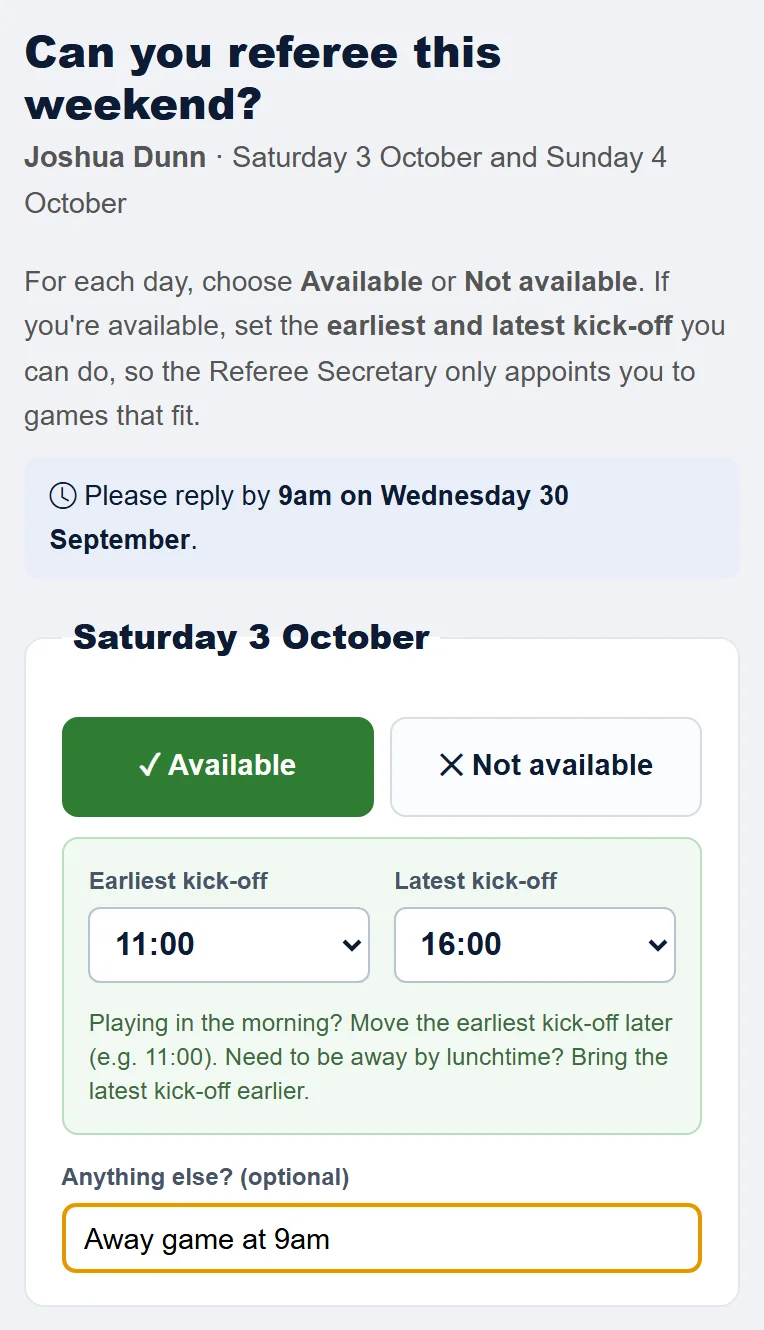
- Open the link in the message. You don't need to sign in. The page shows the dates for that weekend.
- For each day, choose Available or Not available.
- If you're Available, set the Earliest kick-off and Latest kick-off you can do, in half-hour steps. It starts at 08:00 to 16:00. For example, if you're playing away in the morning, set the earliest to 11:00. If you need to be away by lunchtime, bring the latest kick-off earlier.
- Add anything else in Anything else?, then tap Save my answers. You'll see "Thanks — your availability has been saved."
The Referee Secretary sees your answers when they appoint referees. Referees who said they're available at a game's kick-off are listed first. If the kick-off is outside your times, they can see that too, so you won't be appointed to a game you've said you can't do without them knowing.
- You can open the same link again and change your answers until the weekend.
- If you haven't answered, you'll get one reminder on Tuesday at 6pm.
- You're not asked about days you've added as unavailability (below), or about days you don't usually referee. If the page shows a day you don't usually do, only answer if you're free that week.
My Availability in the portal
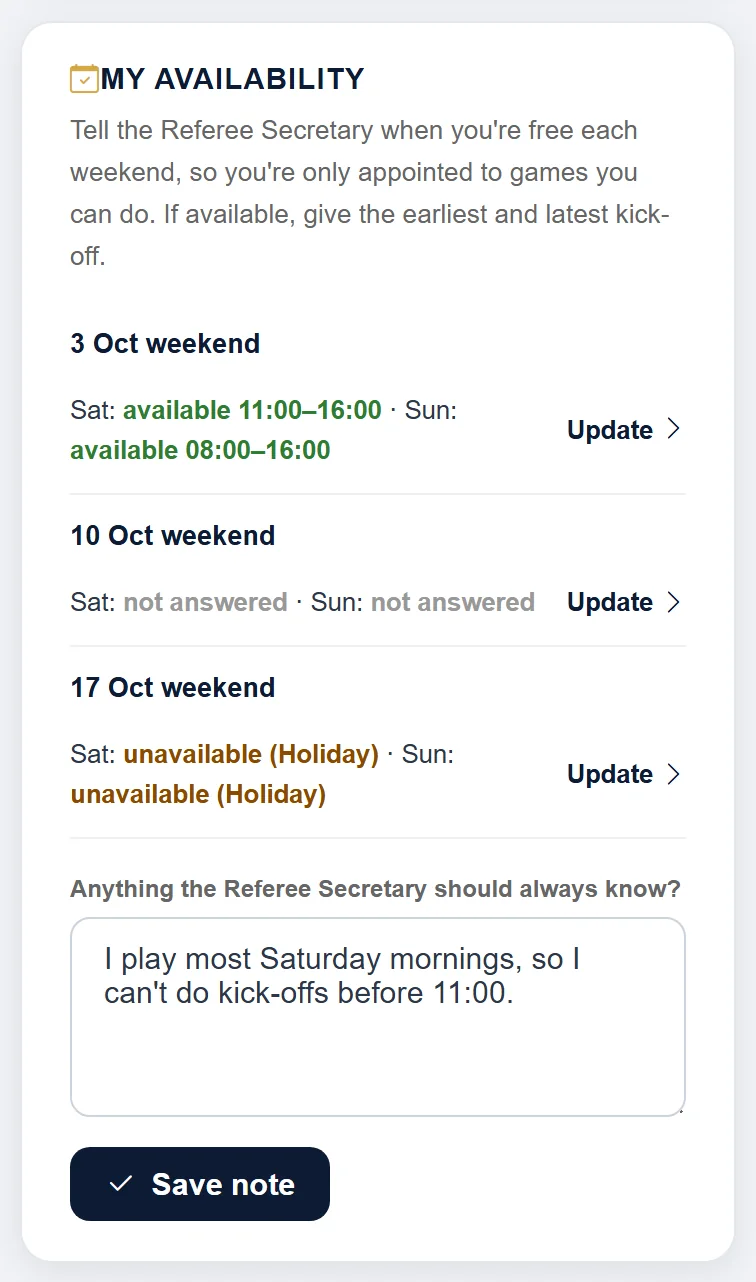
On your dashboard, My Availability shows the next three weekends and what you've told us about each day. Tap Update to answer or change a weekend, even one you haven't had a message about yet.
Anything the Referee Secretary should always know? is for things that are true every week, such as "I play most Saturday mornings, so I can't do kick-offs before 11:00". Tap Save note. The Referee Secretary sees it every time they appoint a referee. You can also change it at the bottom of the weekly page.
Adding dates you're not available
If you're on holiday, injured or busy, add the dates in the portal. The club can't appoint you to matches on those days.
- Sign in and scroll down your dashboard to My Unavailability. See Signing in to the referee portal.
- Choose the From and To dates. For a single day, use the same date for both.
- Choose a Reason: Holiday, Illness, Personal or Other. You can also add a Note, such as "back on the 20th".
- Tap Add. You'll see "Unavailability added:" followed by the dates.
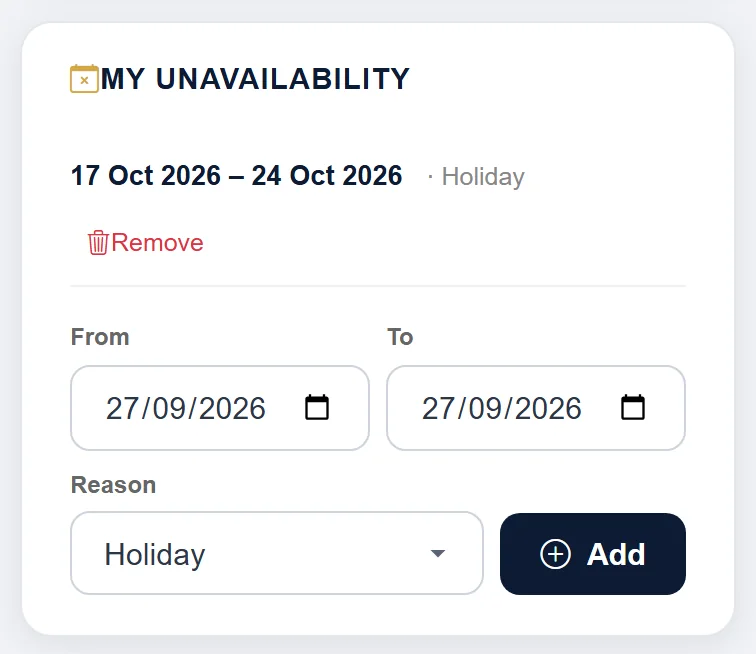
Your dates are listed with the reason until the last day has passed. If there aren't any, it says "No unavailability blocks set — you're available for all fixtures."
You can only add dates from today onwards. If you tell the club instead, they can add the dates for you.
Removing dates
If your plans change, tap Remove next to the dates, then OK. You'll see "Unavailability removed."
If you're already appointed on those dates
The dates are still saved, but you'll see a warning like this, and the club's referee secretary is told:
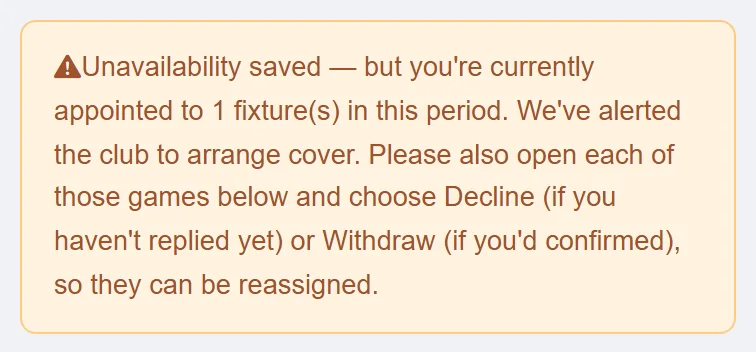
Adding dates doesn't take you off the match. Open each match on your dashboard and:
- tap Decline if you haven't replied yet — see Confirming or declining a match, or
- withdraw if you'd already accepted — see Withdrawing after confirming.
The days you usually referee
On My details, Typically available tells the club which days you usually referee: Saturday & Sunday, Saturday only or Sunday only. Choose one and tap Save details.
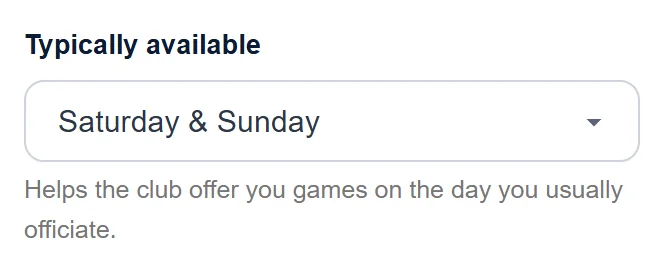
When the club picks a referee for a match, people who usually referee on that day are listed first. If you choose Saturday only or Sunday only, you'll mostly be offered games on that day, but the club can still ask you for others. For a specific date you can't do, add it as unavailability instead. If you can do your other day one week, say so on that weekend's availability page.
Still stuck?
Referees and appointments: Jo Gavin