
Speak Up is how you can tell the club about something, safely and without having to say who you are. Scan the QR code on the Speak Up banners and posters at the ground, or go to app.ascotunitedfc.co.uk/speakup. You don't need an account or to sign in.
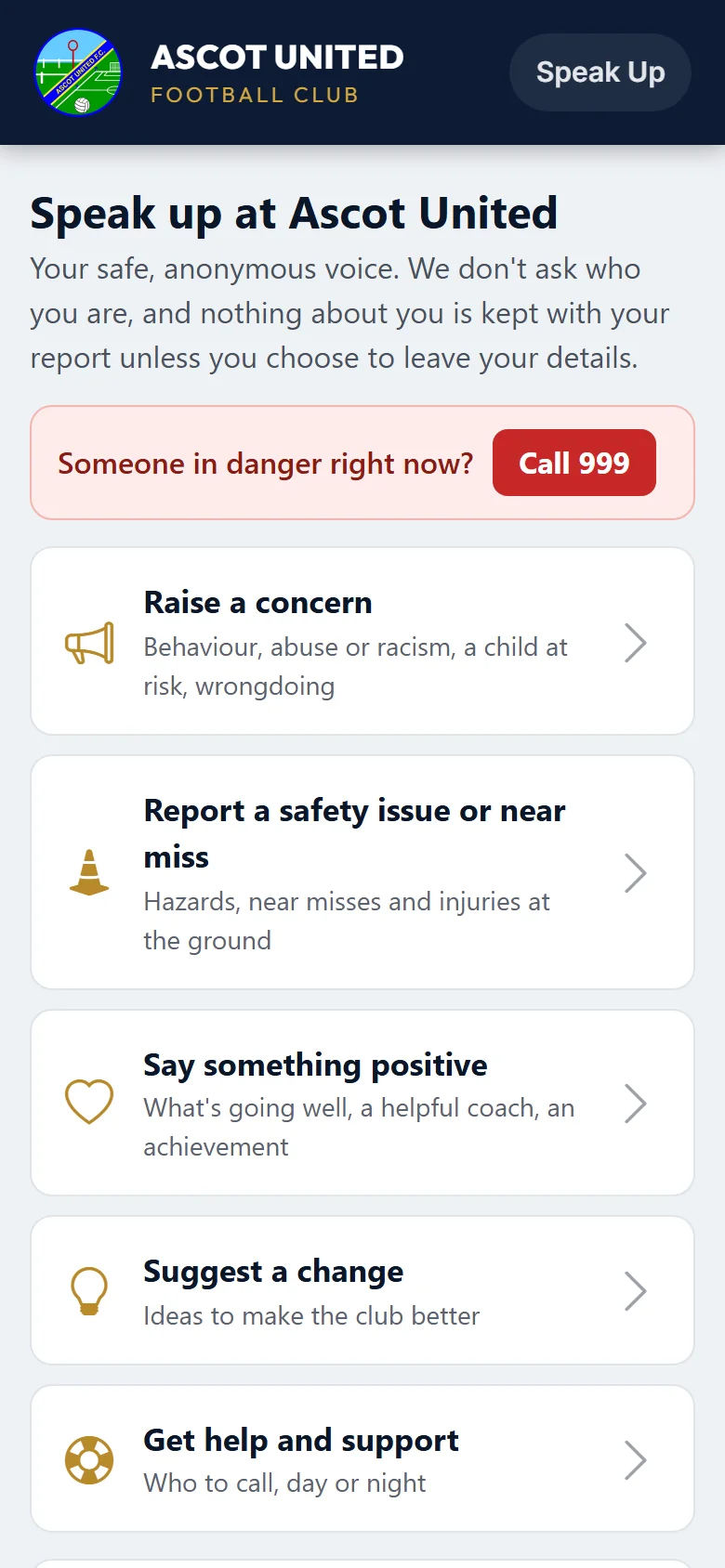
Speak Up isn't watched all the time. If someone is in danger right now, call 999. If you're worried about a child, you can also call the NSPCC on 0808 800 5000. Children and young people can call Childline on 0800 1111.
What you can tell us
| Choose | For |
|---|---|
| Raise a concern | Behaviour; abuse, racism or discrimination; a child or vulnerable adult at risk; illegal activity; money, rules or how the club is run |
| Report a safety issue or near miss | Something dangerous at the ground, a close call, or someone hurt |
| Say something positive | What's going well, a helpful coach or volunteer, an achievement |
| Suggest a change | Ideas to make the club better |
| Get help and support | Who to call, day or night (999, the NSPCC, Childline, Kick It Out, our County FA, Samaritans) |
Pick the one that fits best. If you're not sure, pick the closest: the club can pass it to the right people.
Filling it in
Each topic asks a few short questions. You must say what happened (or what you'd like to say) and, where it asks, whether anyone is in danger right now. The rest is optional unless the question says so. You don't have to name anyone.
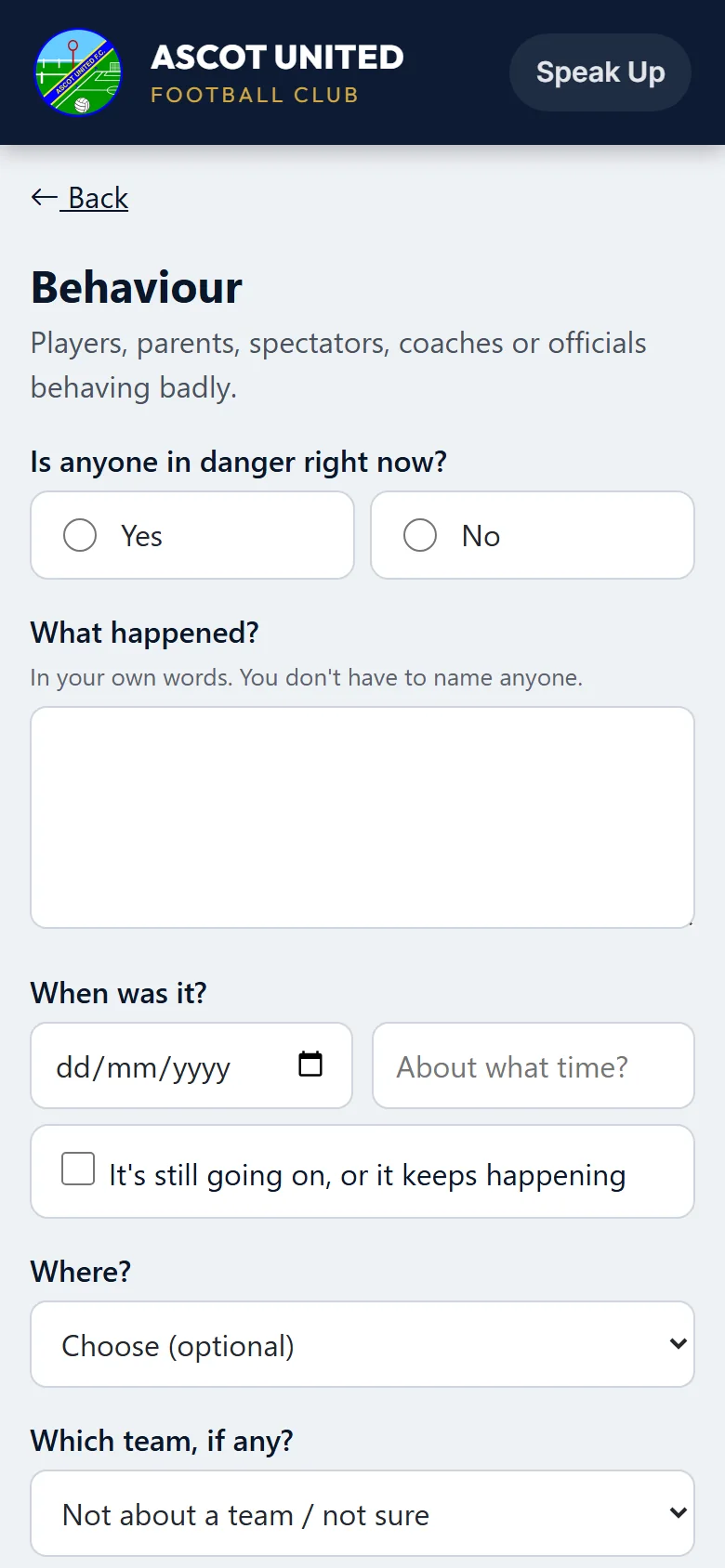
- Is anyone in danger right now? If you say yes, the page tells you to call 999 straight away. Please also send the report, so the club knows.
- When and where it was, and which team, if you know.
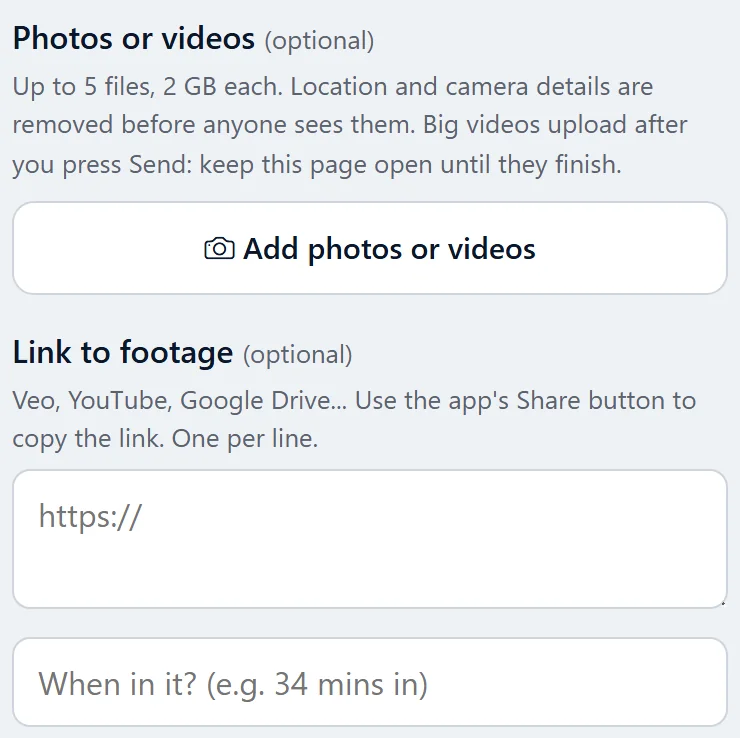
- Photos or videos, if you have them. The page says how many you can add and how big they can be. Location and camera details are removed before anyone at the club sees them. Big videos upload after you press Send: keep the page open until they finish. For a whole match (for example on Veo), paste a link to the footage instead, and say when in it to look.
- This is about someone who would normally receive reports like this. On concern topics, tick this if it's about someone who handles these reports. It then goes to different people at the club, and the usual ones can't see it.
Anonymous, or leave your details
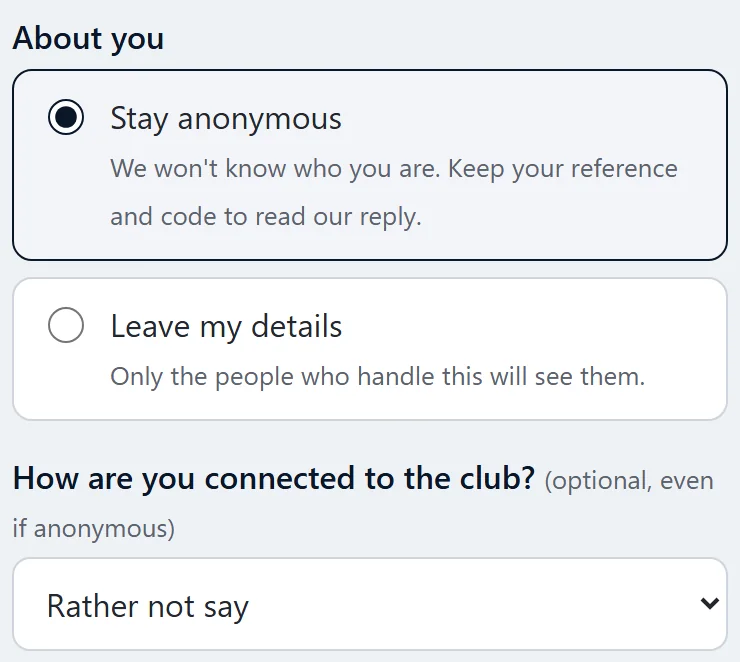
- Stay anonymous (the default): the club won't know who you are. Nothing about where you are or which phone you're using is kept with your report.
- Leave my details: give an email address or a mobile number (and your name if you like), so the club can tell you when it replies. Only the people who handle that topic can see them.
- You can say how you're connected to the club (a parent, a player, a spectator...) even if you stay anonymous. It helps the club understand the report.
After you send it
You get a reference (it starts SU-) and a private follow-up code. Keep both: take a screenshot or write them down. With them you can read the club's reply and add more, without saying who you are. Nobody at the club can look them up for you, because they don't know who you are.
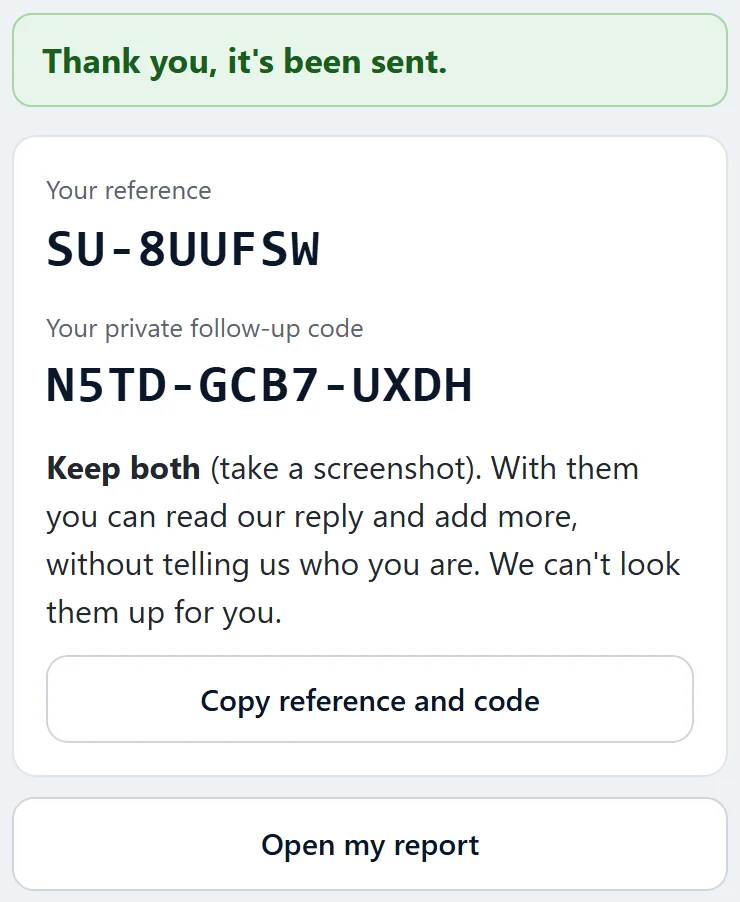
If you left an email address, you also get an email with a link to your report. Anyone who can open that email can use the link, so don't forward it.
Checking for a reply
Go to app.ascotunitedfc.co.uk/speakup and choose Check for a reply (at the bottom of every Speak Up page), then enter your reference and code.
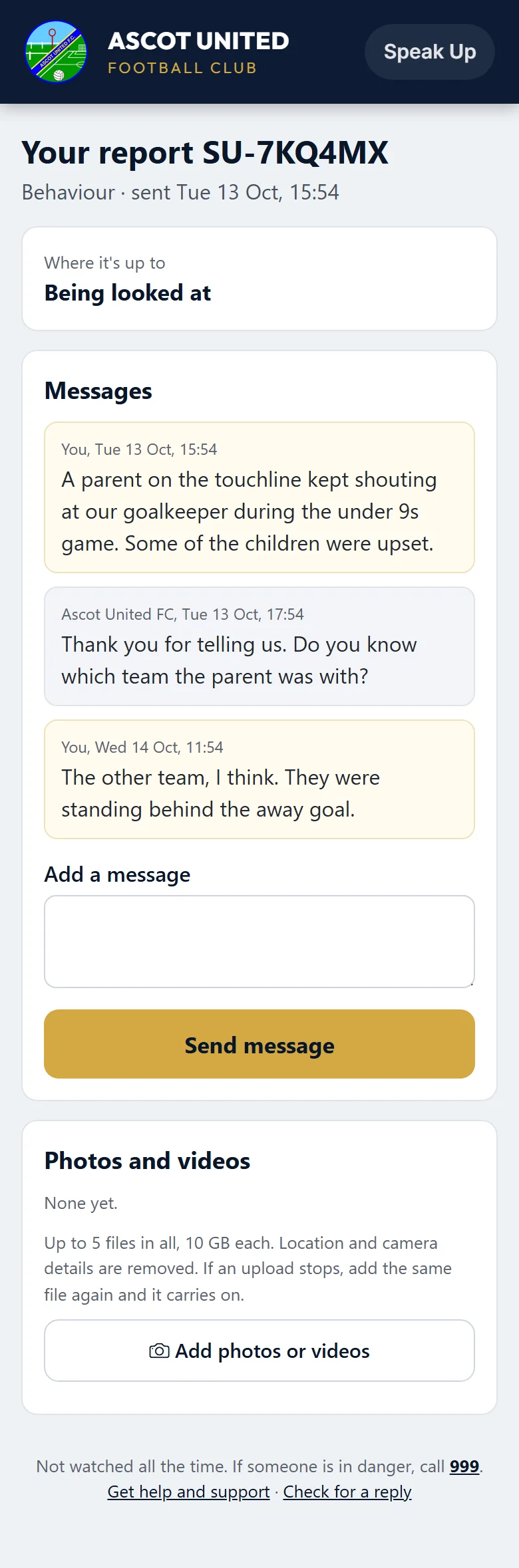
- Where it's up to: Received (nobody has opened it yet), Being looked at, or Closed.
- Messages from the club show as from Ascot United FC. Write back in Add a message: the people looking at it are told.
- Photos and videos you sent are listed. You can add more until the report is closed. If an upload stopped, add the same video again and it carries on from where it stopped.
- If you left an email or mobile, you're told when the club writes to you. The message itself is only on this page.
If you get the code wrong ten times, that report can't be opened for an hour.
Saying something positive
When you say thank you to a coach or volunteer, you can tick that the club may pass your words on to them. The club reads them first, and never says who wrote them. You can also tick that the club may share it on its website or social media. Only tick that for a photo of a child if you're their parent or carer.
Who sees what you send
Only the people the club has chosen for that topic: for example the Club Welfare Officer for a concern about a child. Other staff, coaches and team managers can't see it, whatever their role.
Still stuck?
Welfare and safeguarding: Jo Gavin