
Bookings the club makes for you
If you book a camp place with the club directly — at the desk, by phone or on the day — it's called a walk-up booking. Your child's place is confirmed straight away, and the club will send you an invoice by email (with a PDF) and/or text.
To pay, choose Pay now in the email, or the link in the text. It opens a secure card payment page. The link doesn't expire — if you close the page, just open the link again.
If you have an account with the same email address, the booking also appears in Camps → My Bookings with a Pay button.
You can also pay by cash or bank transfer if the club agrees — contact [email protected] 07856 210361.
Reminders
If an invoice isn't paid, we'll send friendly reminders by email and text about 1, 2, 3 and 5 days after the invoice. The last one says Final reminder. If you've already paid, please ignore them.
A balance after a change
If the club changes a booking so that it costs more — for example adding days — you'll get a Booking updated email showing what's still to pay and a Pay button. The balance also shows on the booking in My Camp Bookings.
After you pay
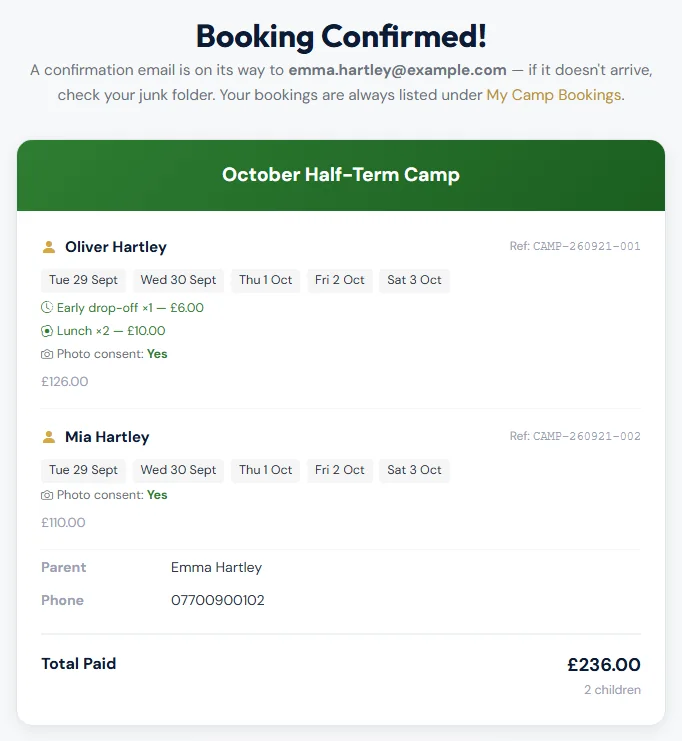
You'll see Booking Confirmed! and the booking shows as paid in My Camp Bookings. If the page says Payment Processing, wait a moment — it checks again by itself.
Still stuck?
Holiday camps: Jo Gavin