
My Payments shows your family's payments in one place.
To open it, sign in and choose My Payments in your dashboard's quick links.
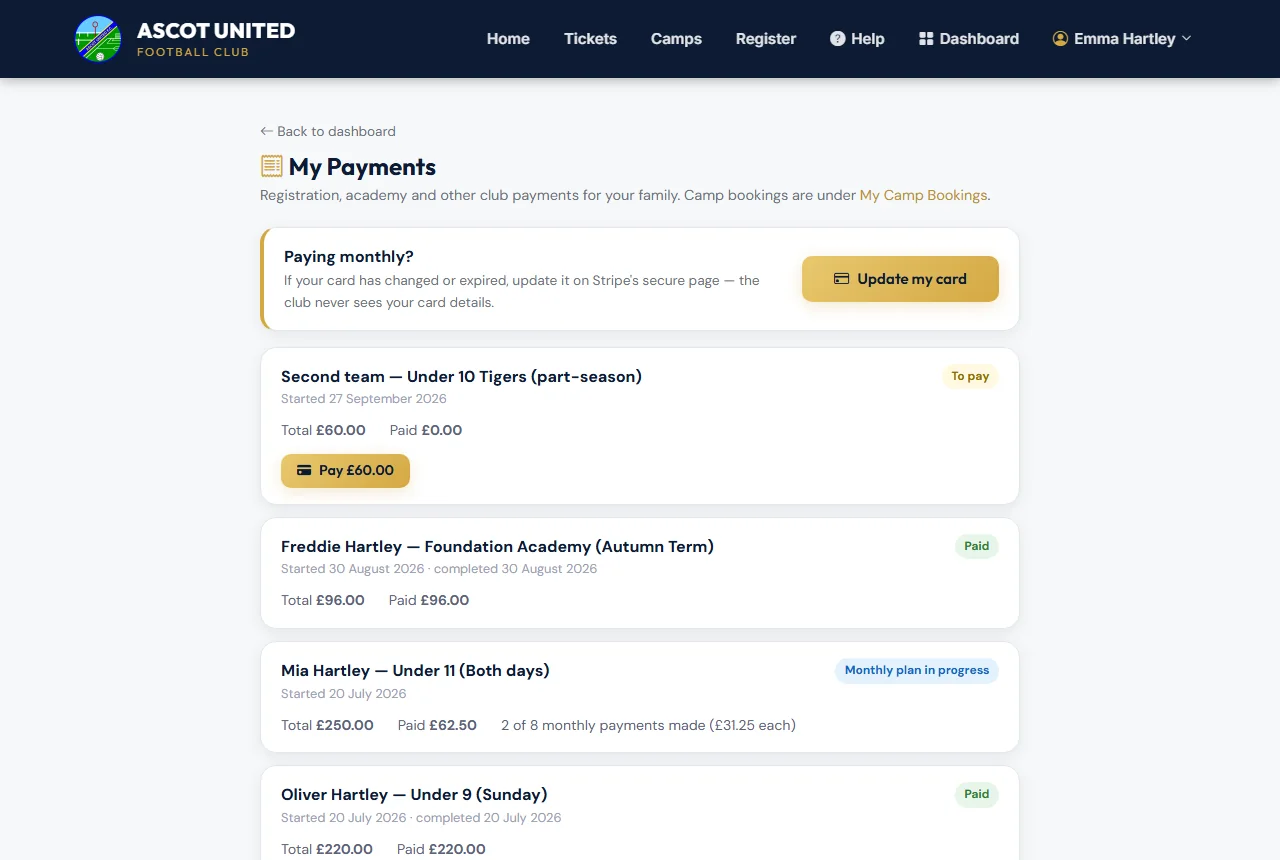
What you'll see
Each payment shows what it was for, when it started, the total and how much has been paid, with a status:
| Status | Meaning |
|---|---|
| Paid | Paid in full. |
| Monthly plan in progress | You're paying monthly. It shows how many payments have been made. |
| Payment failed — Stripe will retry | A monthly payment didn't go through. The last reason and the next try are shown. |
| Payment failed | A payment didn't go through, or a monthly plan has stopped with money still to pay. See When a payment fails. |
| Refunded / Part refunded | Money has been returned to your card, with the amount and date. |
| Plan stopped | A monthly plan was stopped by the club. |
| To pay | An extra fee still to pay — choose Pay. |
Further down you may also see:
- Paid to the club directly — cash, cheque or bank transfer the club has recorded for you.
- Fines — any fines for your children, with a Pay button if unpaid.
Update my card
While a monthly plan is running, a box at the top lets you Update my card. See Updating your card.
Registrations that haven't been paid for yet appear on your dashboard with a Resume Payment button, not here. Holiday camps are under Camps → My Bookings.
Still stuck?
Payments, instalments and refunds: Jo Gavin