
Editing your child's details
- On your dashboard, choose Edit on your child's card.
- Change what you need: - Player's Full Name and FA Number (FAN) - Playing Day Preference - Medical Needs and Allergies - Photo / Media Consent, with any restrictions - a new Headshot Photo or ID Document (passport or birth certificate) — leave these blank to keep the ones you've already uploaded
- Choose Save Changes.
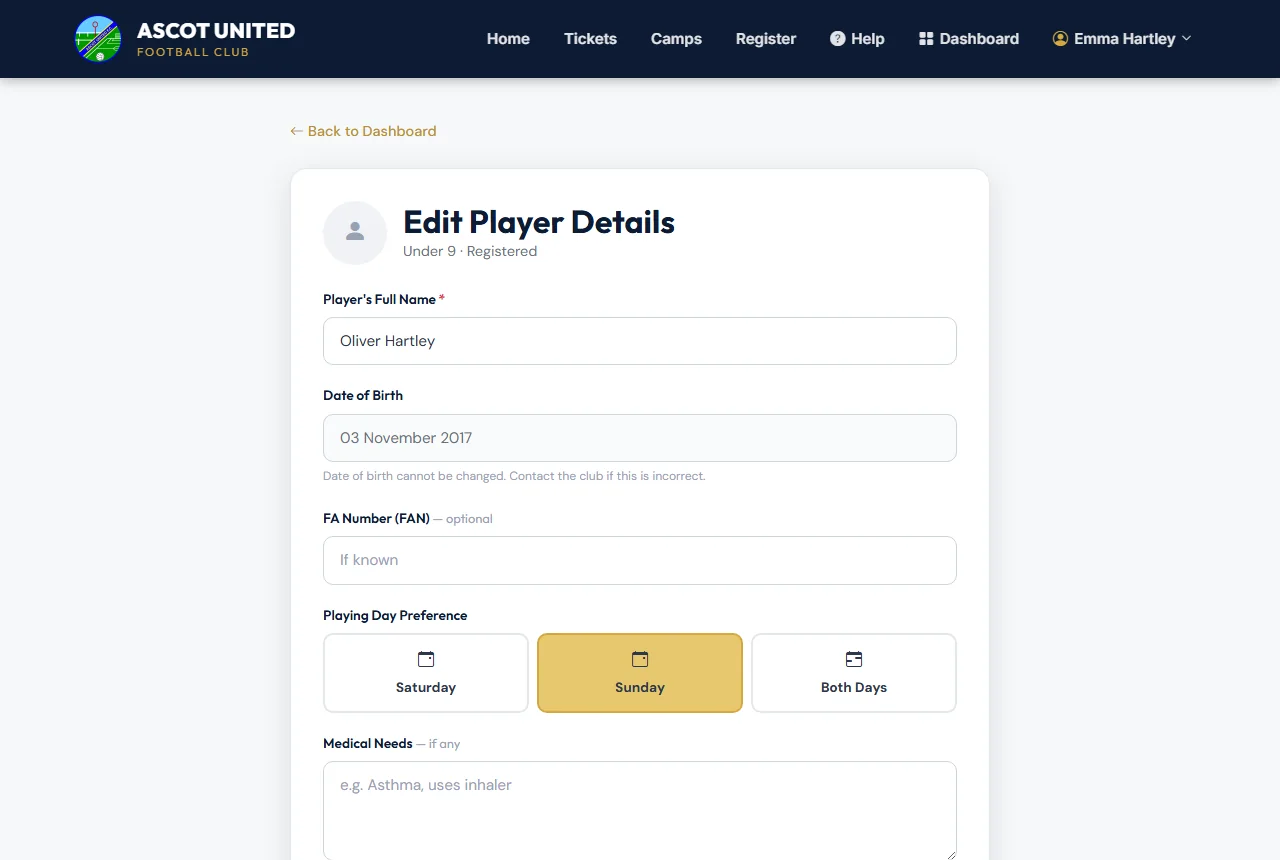
The date of birth can't be changed here because it sets the age group. If it's wrong, contact [email protected].
Changing the playing day doesn't change what you've already paid. If it affects the fee, the club will be in touch.
Removing a child
If you registered a child by mistake and nothing has been paid for them, you can remove them yourself:
- On your dashboard, find the child's card and choose Remove.
- Confirm. The child disappears from your dashboard, and any unpaid payment for them is cancelled.
If money has been paid, or the child has a camp place booked, the Remove option doesn't appear. Contact [email protected] — the club will sort out the registration and any refund with you.
Camp-only children
Children you've added just for holiday camps are managed in Camps → My Children, where you can correct their name and date of birth, or remove them. See Camp-only accounts.
Still stuck?
Registrations and membership: Registrations