
Once you have an account, adding another child is quicker: your own details are already filled in.
- Sign in and choose Add Player on your dashboard (or Register a Player in the quick links).
- Choose the type of registration.
- The form opens as Register Another Player, with just three steps: Player, Fees and Terms.
- Fill in your child's details and continue to pay, exactly as for your first registration.
To register two or more children at once, choose Add Another Player on the Player step. They're paid for together.
Good to know
- Your second parent or guardian is kept as they are. To change them, use Edit My Details.
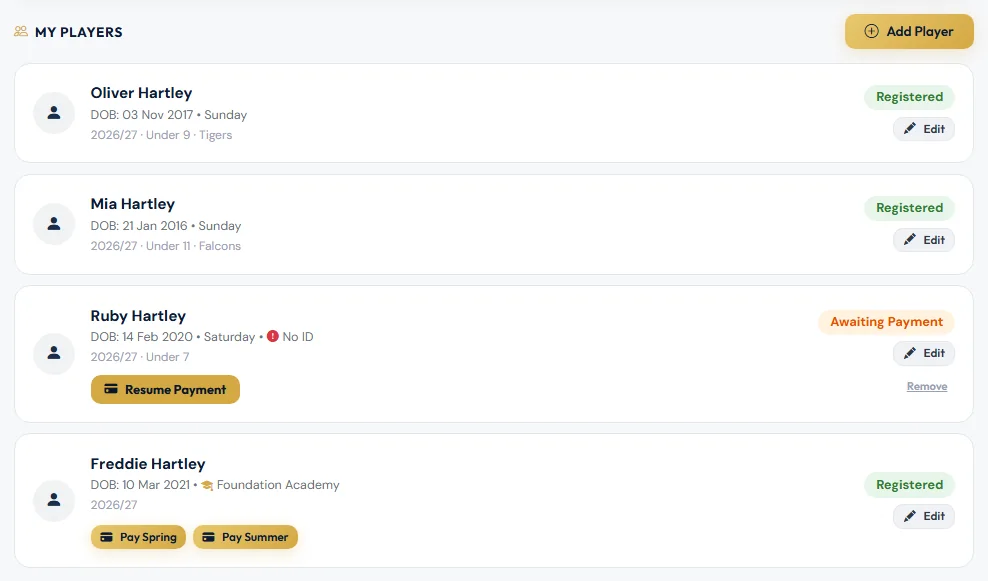
- If you've already started a registration for the same child that's waiting to be paid, the form will ask you to finish that one instead: tap Resume Payment on their card.
- If your child is already registered for the season, the form says so and doesn't register them again. This applies whichever form you used, including the girls' form. To change their team or details, contact [email protected]. A child can still also join an academy or Isthmian Youth.
- Your new child appears on your dashboard straight away, showing Awaiting Payment until the payment goes through.
Still stuck?
Registrations and membership: Registrations