
You don't need an account to buy match tickets. Your tickets arrive by email (and text, if you give a mobile number) as a link with a QR code for each person.
Buying tickets
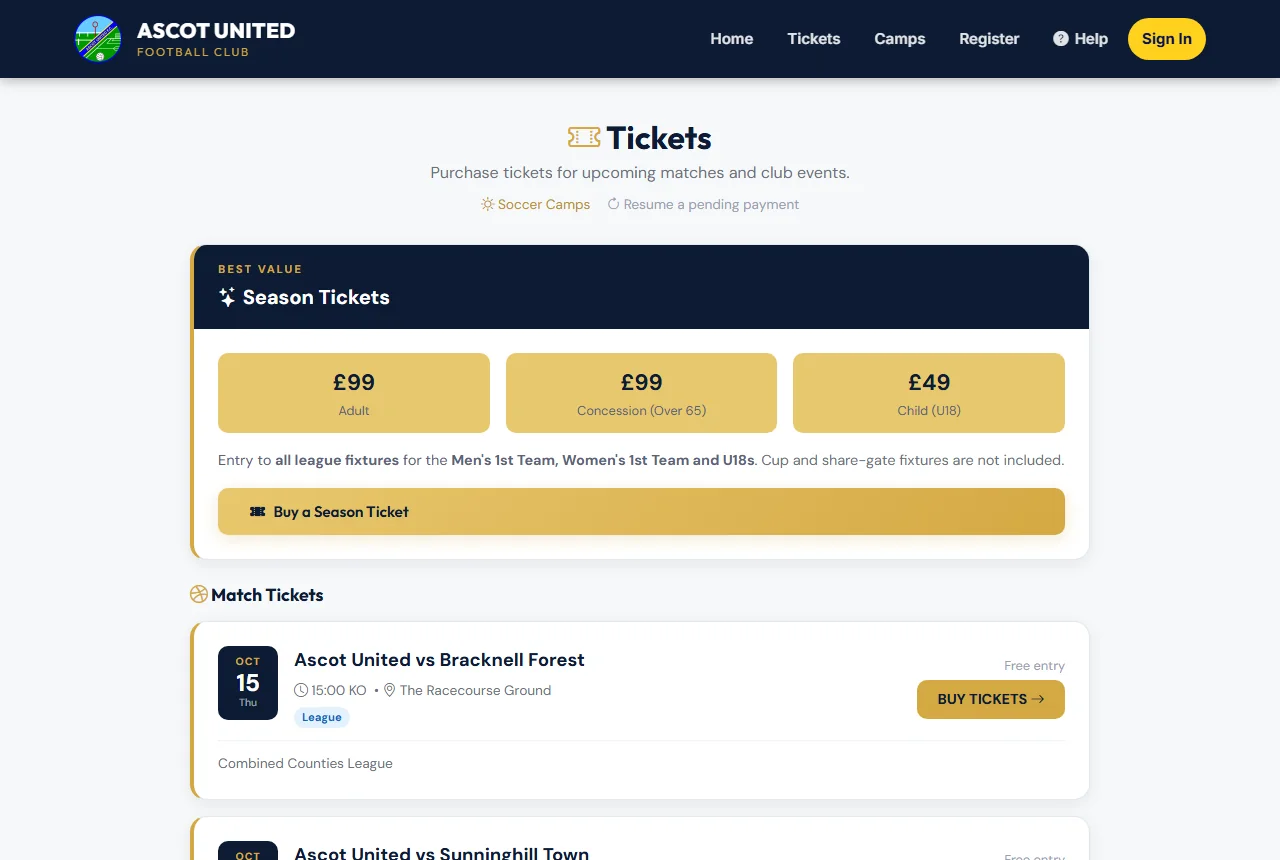
- Choose Tickets in the menu at the top of any page.
- Choose a match. Each match shows the date, kick-off time, venue and the cheapest price.
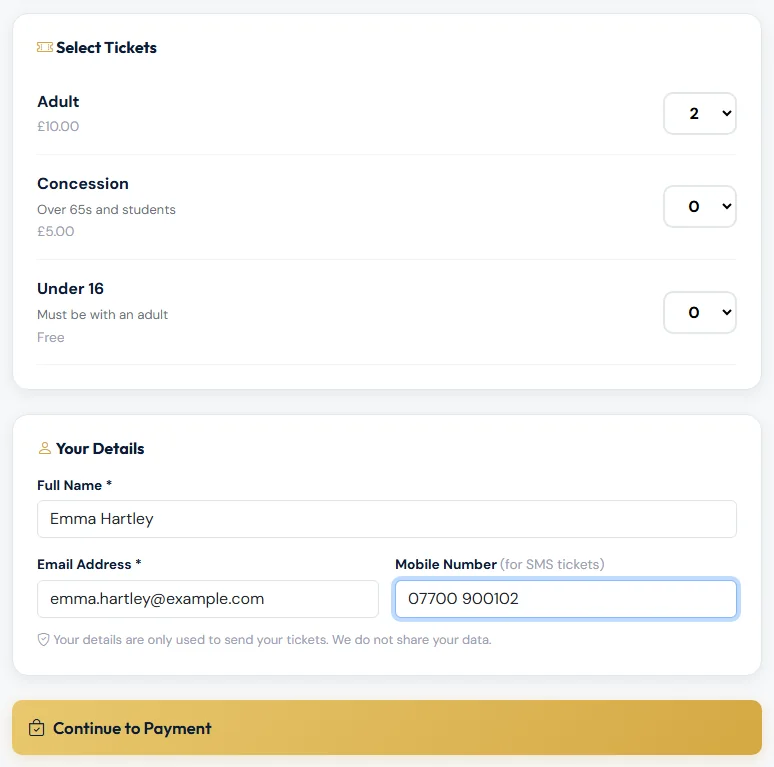
- Under Select Tickets, choose how many of each type you need — for example Adult, Concession or Under 16.
- Under Your Details, enter your name and email. Add your mobile if you'd like your tickets by text too.
- Choose Continue to Payment and pay on the secure card payment page.
When the payment goes through you'll see Tickets Confirmed! with your order reference, and your tickets are emailed to you. See My Tickets and QR codes.
What the labels mean
| Label | Meaning |
|---|---|
| BUY TICKETS | On sale now. |
| ON SALE date | Tickets go on sale at that date and time. |
| ONLINE SALES CLOSED — PAY ON THE GATE | You can still buy a ticket at the gate on match day. |
| PAY ON THE GATE | There are no online tickets for this game — pay when you arrive. |
| SOLD OUT | No tickets left online. There may still be tickets at the gate. |
Good to know
- Free tickets (for example Under 16) still need to be "ordered" so each person has a QR code. A free order skips the payment step.
- If you leave the payment page without paying, nothing is charged. You'll see Payment not completed with your order reference and a Try payment again button. You can finish paying within 48 hours, or just start again.
- Season ticket holders don't need to buy a ticket for games their season ticket covers — see Season tickets and which games they cover.
Still stuck?
Tickets, season tickets and match day: Dan Birchmore