
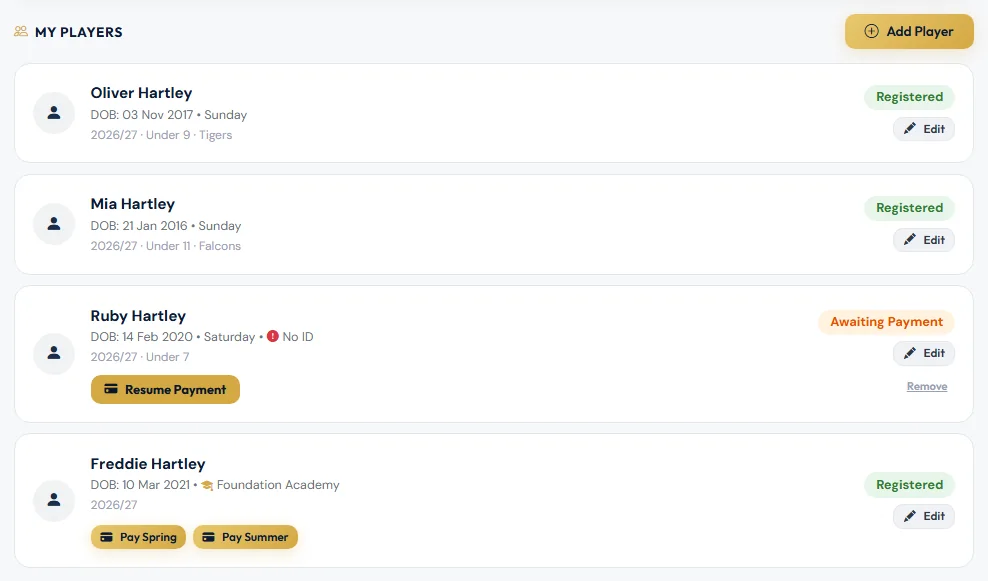
Your child's card on the dashboard shows where their registration is up to.
| Status | What it means | What you need to do |
|---|---|---|
| Awaiting Payment | The form is saved but hasn't been paid for. | Tap Resume Payment on the card. |
| Pending | Paid. The club is choosing the right team. | Nothing — the club will place your child. |
| Allocated | Your child has been placed in a team. | Nothing — the club is finishing off the registration. |
| Registered | Registration is complete. | Nothing. |
| Rejected | The club needs something changed before it can accept the registration. The reason is shown on the card. | Fix it with Edit, then tap Resubmit for review. |
How long it takes
- Academy registrations go straight to Registered once they're paid.
- Team registrations move from Pending to Allocated to Registered as the club works through them. At the start of the season this can take a little while, because players are placed in batches.
We email you when the registration is complete, and if the club needs you to change something.
If your registration was rejected
- Read the reason on the card, or in the Registration Update email.
- Choose Edit on the card and make the change — for example upload a clearer photo of the birth certificate.
- Choose Save Changes.
- Back on the dashboard, tap Resubmit for review on the card. The status goes back to Pending and the club is told.
Other things on the card
- No ID — the club hasn't got proof of your child's age yet. Choose Edit to upload a passport or birth certificate.
- Camp only — the child is on your account for holiday camps, not registered with a team.
Questions? Contact [email protected].
Still stuck?
Registrations and membership: Registrations